Sleezy Development • Advanced Signal Air Tags System
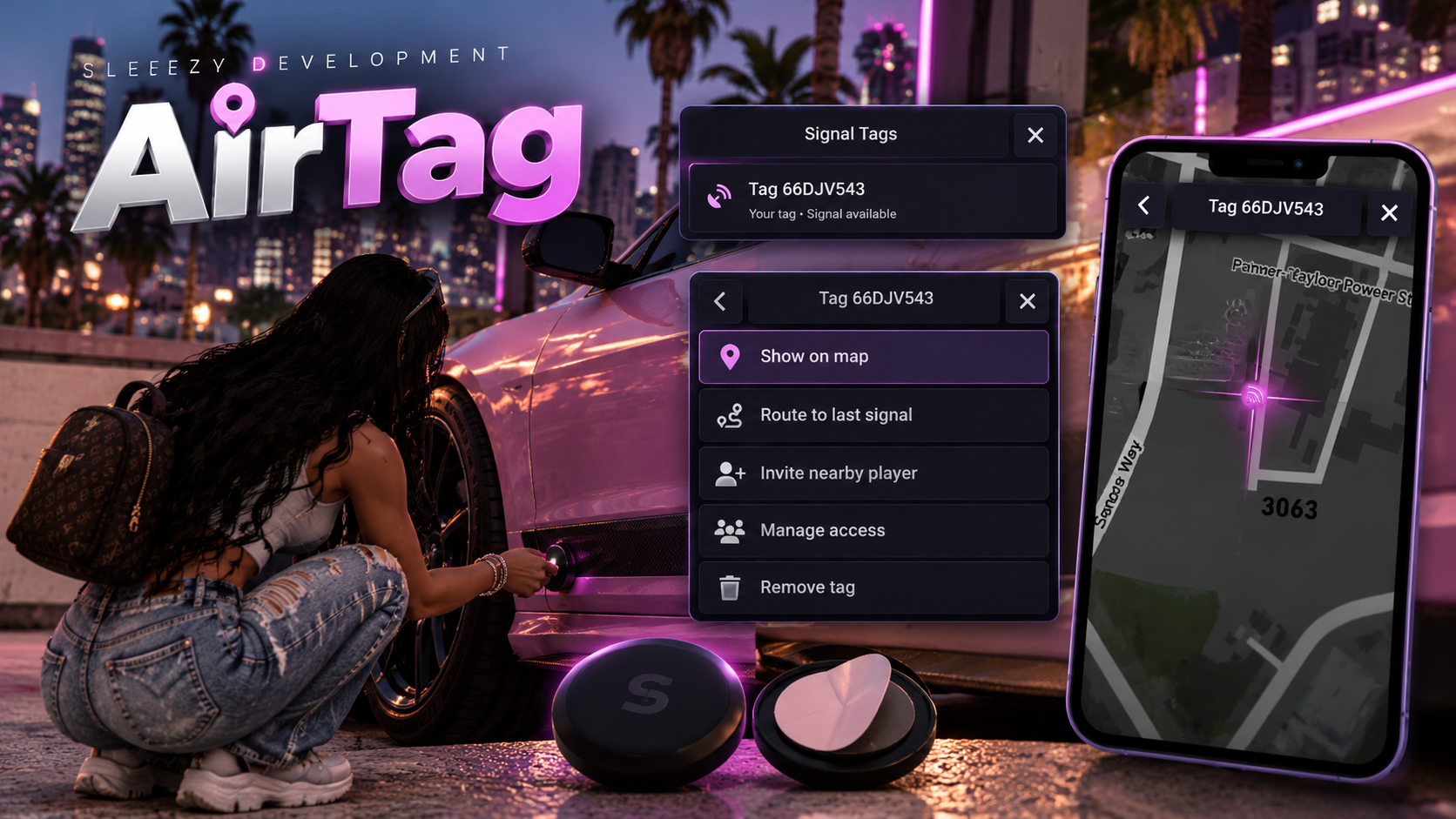
Bring interactive vehicle tracking and more immersive roleplay opportunities to your FiveM server with the Sleezy Development Advanced Signal Tags System.
Signal Tags allows players to attach compact tracking devices to in-game vehicles, monitor their location through the map, and securely share tracking access with trusted friends.
Whether players are keeping track of their personal vehicles, coordinating with friends, or searching vehicles for unwanted tracking devices, the system provides a simple and interactive experience.
Built with usable inventory items, configurable installation settings, vehicle searches, removable tracking devices, shared access invitations, and persistent tracker management.
📍 Interactive Vehicle Tracking
🎮 Usable Signal Tag Item
🗺️ Live Map Location Updates
🤝 Shared Tracking Access
🔎 Vehicle Tag Search & Removal
⚙️ Customizable Tracking Settings
🎮 ESX / QBCore / QBOX / Standalone
⚙️ Features
Advanced vehicle signal tracking system
Usable in-game Signal Tag item
Attach tracking devices to supported vehicles
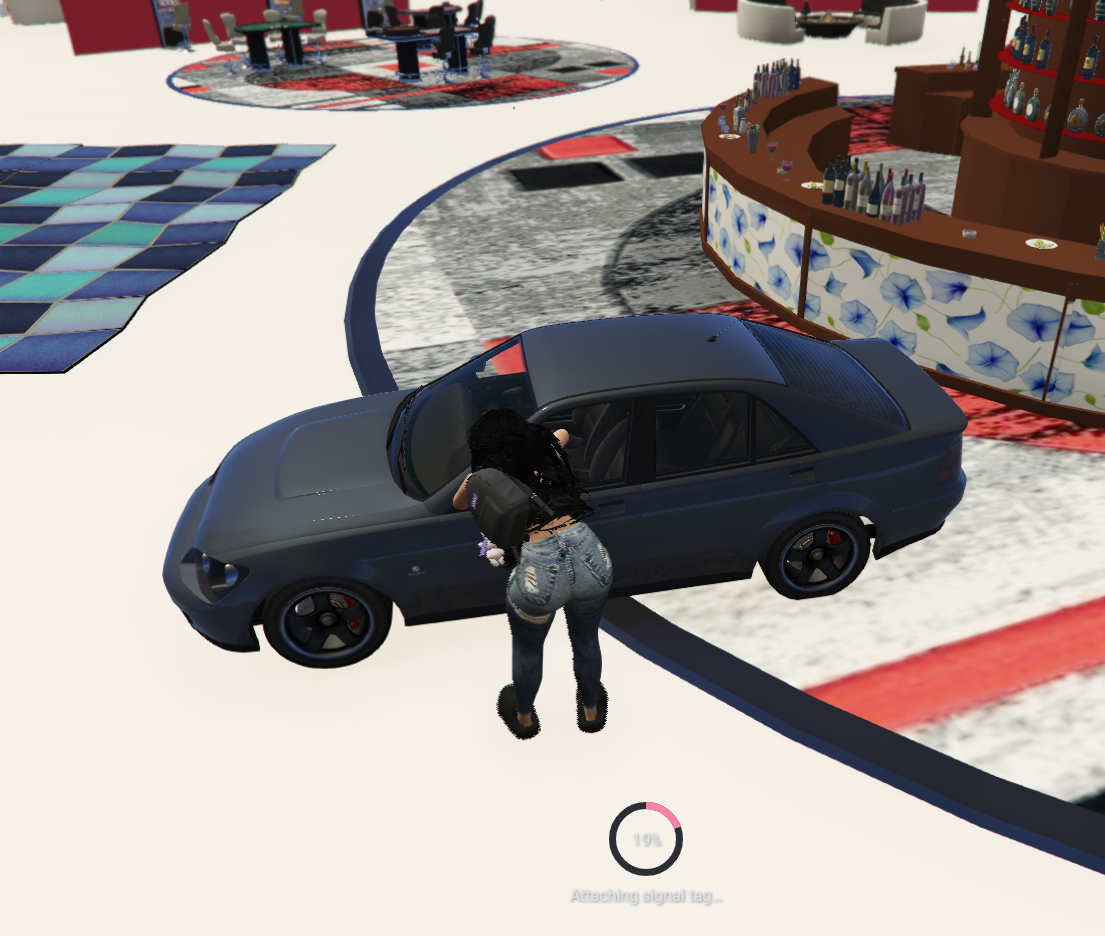
Interactive installation animation
Configurable installation duration
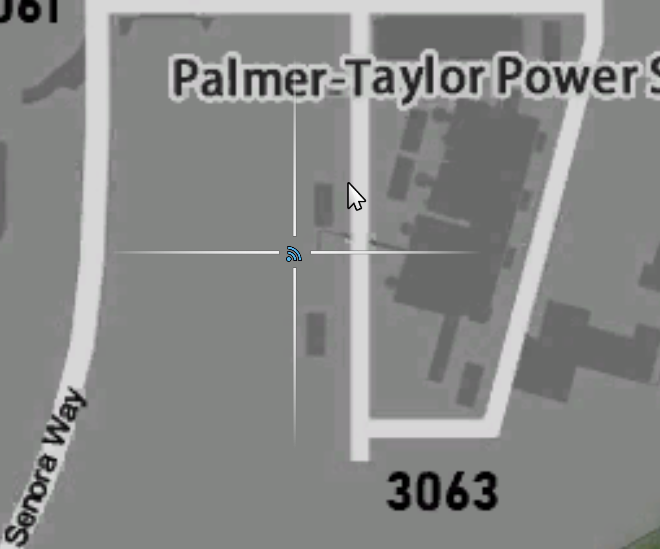
Track tagged vehicles through the in-game map
Automatically updating map blips
Set GPS waypoints to the last available signal
Show or hide individual tracking blips
Manage multiple vehicle tags
Share tracking access with nearby players
Accept or decline sharing invitations
Revoke shared access at any time
Remove installed signal tags
Search nearby vehicles for unwanted tags
Configurable vehicle search animation
Remove discovered tags without special items
Configurable tracker lifetime
Automatic expiration of older trackers
Persistent tracking records
Vehicle entity validation
Configurable tracking cooldowns
Server-side access validation
Customizable notifications and menu branding
Automatic framework detection
No SQL database required
📍 Vehicle Signal Tracking
Players can attach Signal Tags to nearby vehicles and monitor their in-game location.
Walk up to a supported vehicle
Use a Signal Tag from your inventory
Start the installation animation
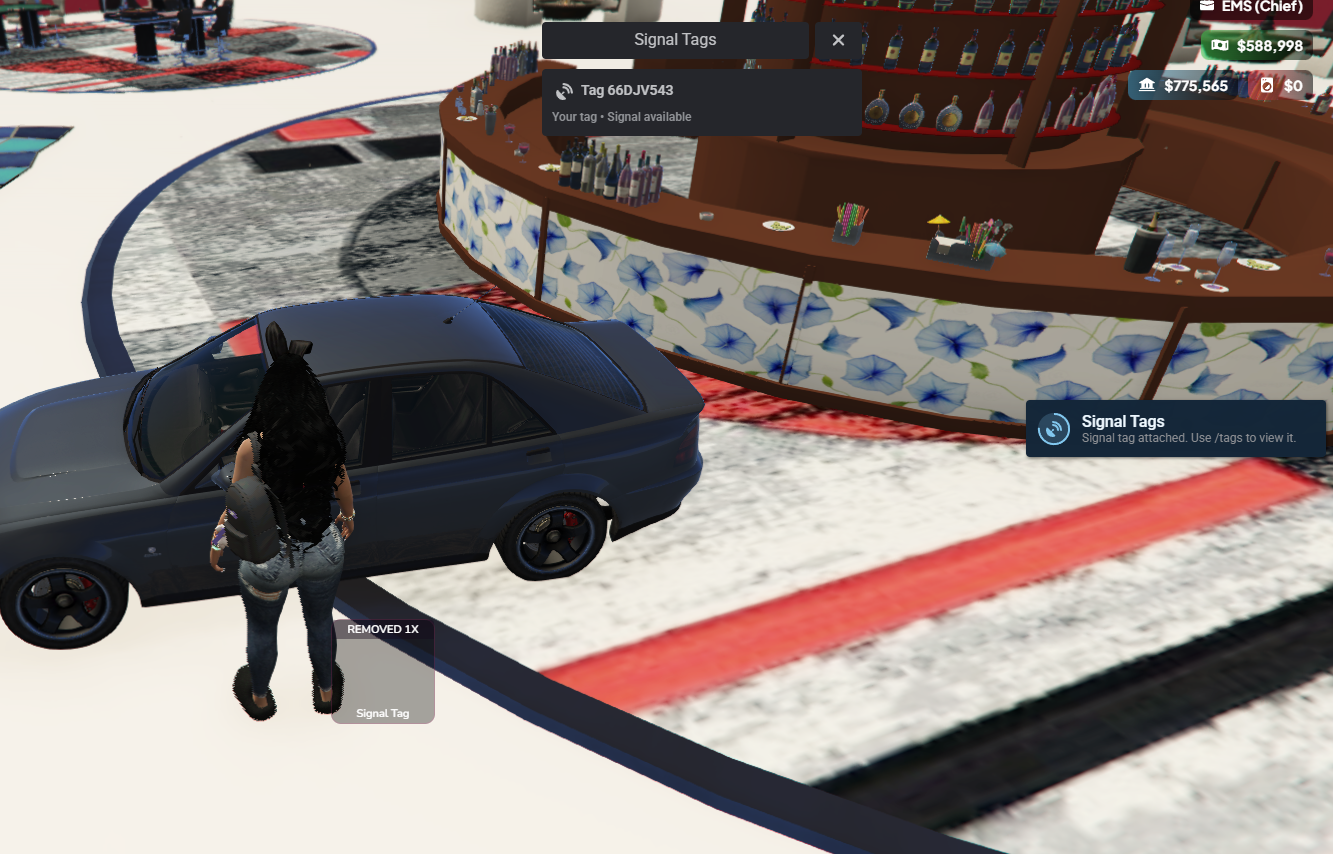
Attach the device after installation completes
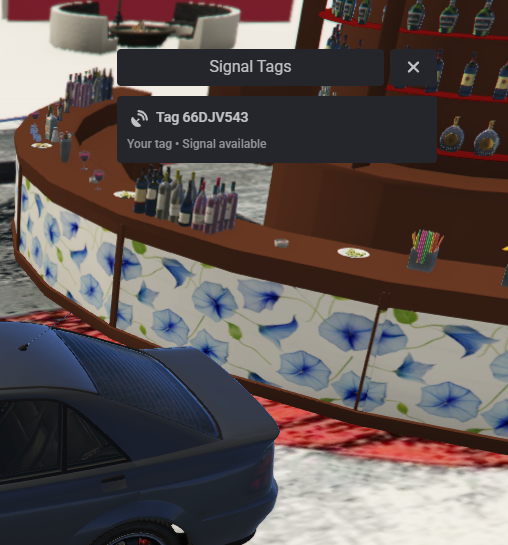
Open your Signal Tags menu
View your registered vehicles
Enable or disable map tracking
Monitor available vehicle locations
Set a waypoint to the last available location
Manage active and unavailable signals
Default Tracking Settings
Up to 5 owned tags per player
5-second tracking update interval
7-day tracker lifetime
500 total tags per server
Same routing bucket tracking enabled
Tracking limits and update intervals are customizable.
🎮 Usable Signal Tag Item
Signal Tags can be installed using a physical in-game inventory item.
Custom Signal Tag inventory item
Included inventory item image
Configurable item name
Compatible inventory integration
3-meter installation distance by default
4-second installation animation
Player movement restrictions during installation
Server-side item verification
Inventory item consumed after successful installation
Configurable maximum owned tags
Optional item-free installation mode
Players must have the required item when item requirements are enabled.
🗺️ Interactive Map Tracking
The system uses the built-in FiveM map to display available vehicle locations.
Vehicle location blips
Configurable blip icons
Editable blip colors
Adjustable blip size
Live coordinate refreshes
Toggle individual tracking blips
Last-signal GPS waypoint support
Available and unavailable signal indicators
Individual vehicle tracking selection
Configurable update intervals
Locations are provided only to the tag owner and players who have accepted shared access.
🤝 Shared Tracking Access
Allow trusted players to view an existing Signal Tag without requiring them to install their own.
Share tracking access with nearby players
Select players using their server ID
Send interactive access invitations
Accept or decline invitations
Automatic invitation expiration
View shared vehicles from your own tracking menu
Revoke access from individual players
Leave shared tracking access voluntarily
Manage authorized viewers
Configurable sharing distances
Configurable viewer limits
Server-side invitation validation
Default Sharing Settings
5-meter sharing distance
30-second invitation expiration
10-second sharing cooldown
Up to 10 viewers per tag
Up to 25 received trackers per player
Shared players must accept an invitation before receiving tracking access.
🔎 Vehicle Tag Search & Removal
Players can search nearby vehicles to discover and remove installed Signal Tags.
Search supported vehicles for tracking devices
Interactive vehicle search animation
Search vehicles without requiring a special item
Configurable search distance
Adjustable search duration
Vehicle proximity validation
Notification when a tag is discovered
Optional removal confirmation
Remove discovered tracking devices
Immediately disable removed trackers
Revoke all shared access when a tag is removed
Configurable search cooldowns
Optional ability to disable vehicle searches
Default Search Settings
3-meter search distance
6-second search duration
10-second search cooldown
On-foot searches enabled
Once a tag is removed, the owner and any authorized viewers lose tracking access.
Removed Signal Tags are destroyed and are not returned to the player's inventory.
This gives players a way to discover and remove unwanted in-game tracking devices.
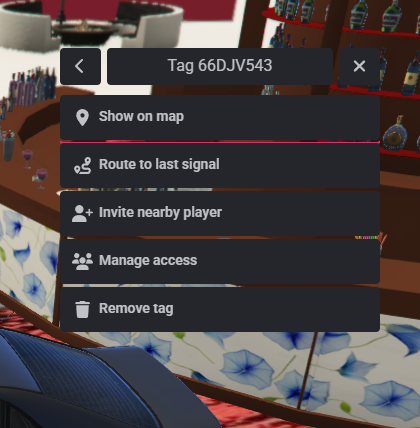
📱 Signal Tags Management Menu
Manage installed tags and shared tracking access through an organized in-game interface.
View owned Signal Tags
View trackers shared with you
Display vehicle plate information
Check current signal availability
Show or hide map blips
Set navigation waypoints
Invite nearby viewers
Manage authorized players
Revoke individual access
Remove owned tags
Leave trackers shared by others
Confirmation prompts for important actions
The interface uses ox_lib menus and notifications for convenient in-game interaction.
🎮 Available Commands
/tags — Open your Signal Tags management menu.
/tagattach — Install a Signal Tag on a nearby vehicle when permitted.
/tagshare [id] — Invite a nearby player to view one of your tags.
/tagscan — Search a nearby vehicle for an installed Signal Tag and optionally remove it.
All commands can be customized through config.lua.
🔐 Tracking Security & Validation
Server-side ownership validation
Authorized viewer access checks
Server-side vehicle proximity validation
Installation item verification
Tracking permission management
Sharing invitation expiration
Request cooldown protection
Character identity validation
Routing bucket validation
Vehicle entity verification
Protection against reused vehicle network IDs
Player session validation
Configurable tracker limits
Vehicle coordinates are returned only to authorized characters through validated server requests.
🎨 Customization & Configuration
Custom menu title
Custom notification colors
Adjustable notification background
Custom notification text color
Editable notification icon color
Configurable item name
Customizable command names
Adjustable installation distance
Configurable installation duration
Maximum owned tracker limits
Server-wide tracker limits
Adjustable sharing distance
Custom invitation expiration
Configurable search duration
Adjustable search cooldowns
Tracking refresh interval
Signal lifetime settings
Map blip customization
Optional routing bucket restrictions
Editable player-facing text
Optional item requirement
Editable config.lua
Editable framework and inventory bridge
💾 Persistent Tracking Data
Signal Tags uses FiveM's built-in resource storage to save tracker information.
Persistent tracking records
Saved tracker ownership
Saved shared viewer permissions
Automatic tracker expiration
No external database required
No SQL installation required
Tracker records are stored between resource restarts.
Important: Active location tracking requires the original tagged vehicle entity to remain available. If a vehicle is deleted, replaced, stored by a garage system that despawns it, or lost during a server restart, the tracker cannot automatically reconnect to a newly spawned vehicle.
Unavailable tracker entries can be removed from the management menu.
🧩 Framework Support
ESX
QBCore
QBOX
Standalone
Automatic framework detection
Inventory Support
ox_inventory
qb-inventory
Native ESX inventory
Custom standalone inventory through the editable bridge
Standalone setups require a compatible inventory adapter when usable items are enabled.
📦 What's Included
Advanced Signal Tags Resource
Usable Signal Tag Item
Signal Tag Inventory Image
Vehicle Tag Installation System
Live Map Tracking
Shared Tracking Invitations
Vehicle Search & Removal System
Tracker Management Menu
Configurable Notifications
Framework & Inventory Bridge
Persistent Tracker Storage
Editable Configuration
ox_inventory Item Configuration
QB Inventory Item Configuration
ESX Item SQL Example
Installation Instructions
🏠 Perfect For
FiveM Roleplay Communities
Vehicle Roleplay
Personal Vehicle Tracking
Social Roleplay
Vehicle Recovery Scenarios
Group Travel Coordination
Community Vehicle Activities
Roleplay Businesses
Vehicle Management
Interactive Vehicle Systems
⚙️ Installation & Requirements
FiveM Server
OneSync Enabled
ox_lib
Supported Framework or Standalone Configuration
Compatible Inventory for Usable Items
Included Inventory Item Configuration
Add the Signal Tag item to your inventory, configure your preferred settings, and ensure the resource after its dependencies.
No SQL database is required.
⚙️ Important Information
This resource provides fictional vehicle tracking functionality exclusively within the FiveM game environment.
Signal Tags does not connect to real-world tracking devices, mobile networks, GPS services, or external location services.
Only the owner and accepted shared viewers can access the corresponding vehicle's tracking information.
Any player who completes an enabled vehicle search can discover and remove an installed tag, preventing unwanted trackers from remaining permanently attached to vehicles.
Tracking is tied to the original live vehicle entity rather than solely to its license plate. Respawned or replacement vehicles require a new Signal Tag.
Vehicle tracking availability depends on entity persistence, routing bucket configuration, and the selected tracking settings.
The system is intended for authorized FiveM roleplay servers and in-game vehicle interactions.
💎 Why Choose This System?
The Advanced Signal Tags System provides a practical way to introduce interactive vehicle tracking into your FiveM server without complicated installation requirements or external tracking services.
Players can attach tags, monitor their vehicles, share access with trusted friends, and search vehicles to remove unwanted tracking devices.
With its lightweight menu, configurable settings, vehicle search mechanics, multi-framework support, and persistent tracking records, Signal Tags adds another layer of interaction to everyday vehicle roleplay.
Designed for FiveM communities looking for a straightforward and customizable vehicle tracking experience.
Developer: Sleezy Development
Version: 1.0.1
Frameworks: ESX • QBCore • QBOX • Standalone
Resource: sleezy_airtags
Database: Not Required
Dependencies: ox_lib • OneSync
Sleezy Development • Premium FiveM Systems
Script Preview: (1) Sleezy Development - YouTube
Discord Support: Discord
