Sleezy Development • Advanced Television System V2 (ESX, QBCore, QBOX & Standalone)
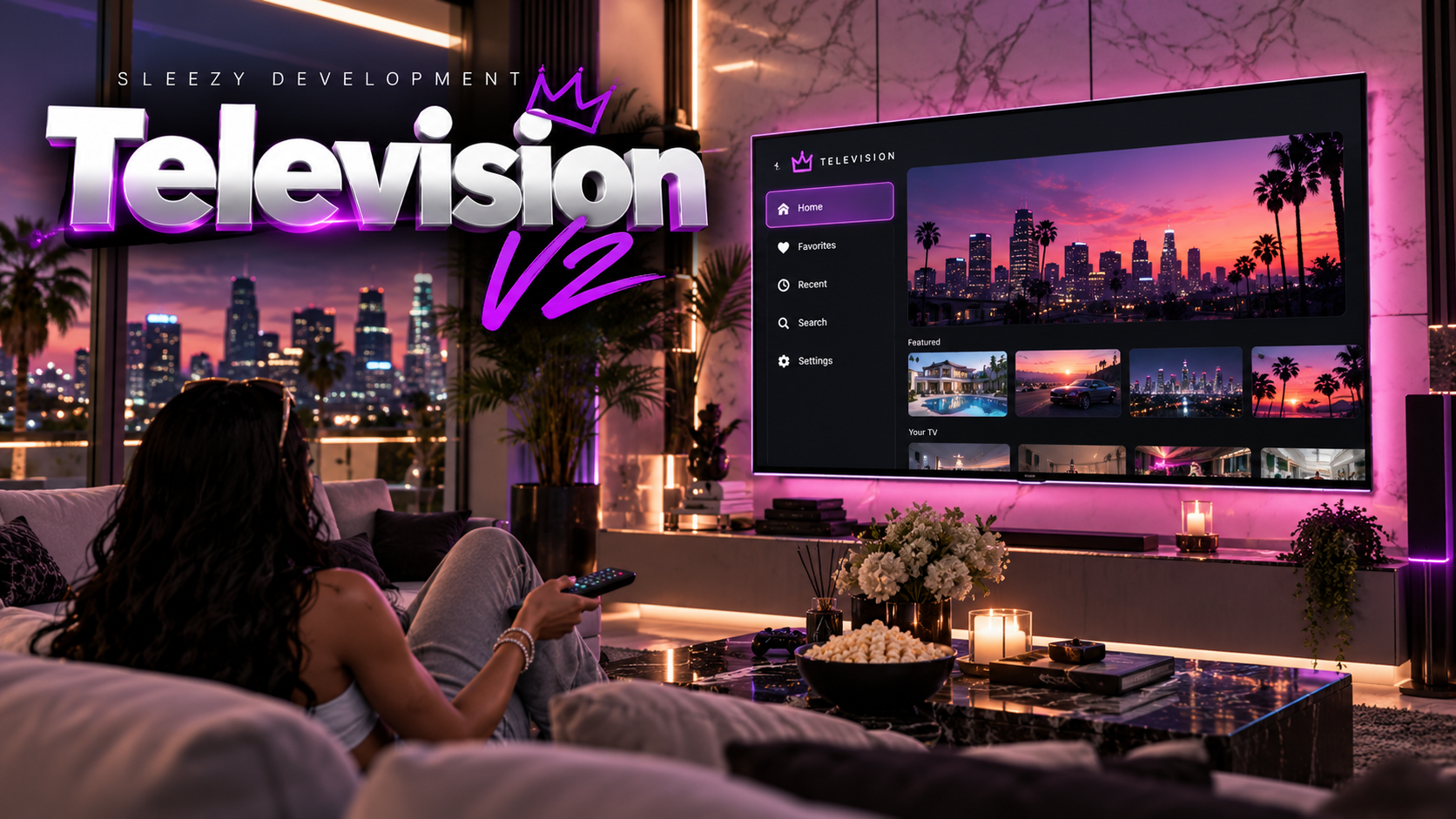
Bring interactive televisions, customizable screens, and advanced television management to your FiveM server with the Sleezy Development Advanced Television System V2.
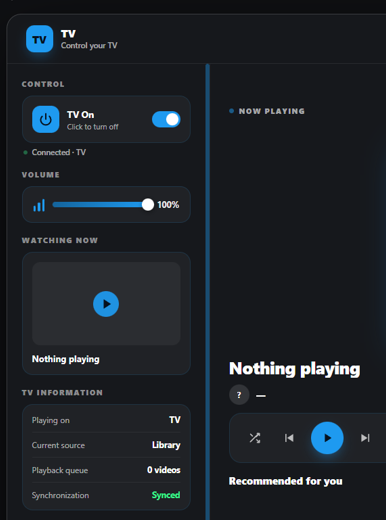
Designed for immersive roleplay environments, this system allows players to interact with televisions throughout the city, manage supported screen content, adjust television settings, and enjoy synchronized viewing experiences with nearby players.
Server owners can create custom television locations, place supported television models, configure access permissions, manage television ownership, and customize the system through extensive configuration options.
Whether you're setting up televisions inside homes, apartments, lounges, businesses, hotels, or entertainment venues, Advanced Television System V2 provides the tools needed to create and manage interactive screens throughout your server.
Built with a custom television interface, interactive placement tools, inventory integration, persistent television locations, and multi-framework compatibility.
📺 Interactive Television Management
🎮 Custom Television Control Interface
🛠️ Advanced Television & Screen Creator
📦 Television Store & Inventory Integration
🔐 Ownership & Access Management
🎨 Custom Branding & Configuration
🧩 ESX / QBCore / QBOX / Standalone
⚙️ Features
- Advanced interactive television system
- Dedicated television control interface
- Nearby television detection
- Multiple supported television models
- Synchronized television playback state
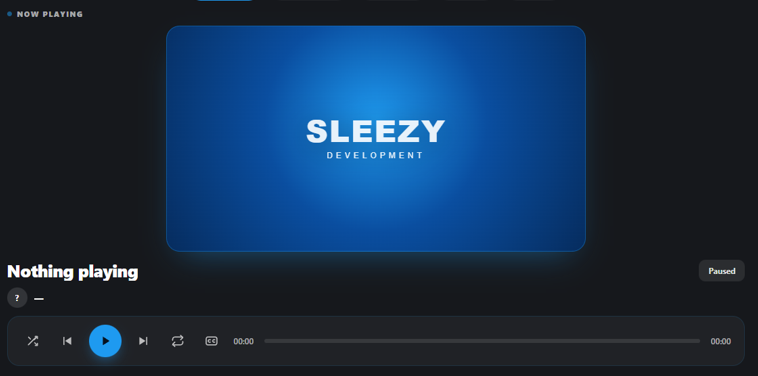
- Supported content playback controls
- Play, pause, resume, and stop functions
- Adjustable television volume
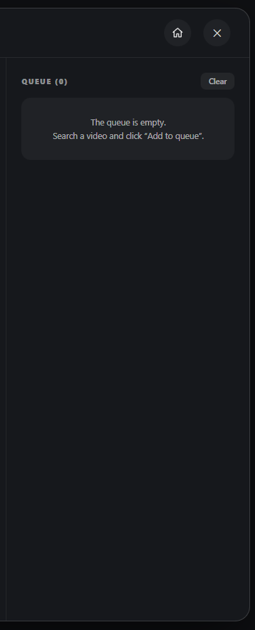
- Configurable playback queues
- Queue management controls
- Remove individual queued entries
- Clear entire playback queues
- Repeat and shuffle options
- Configurable interaction distances
- Adjustable audio distance
- Multiple television locations
- In-game television creator
- Freestanding screen placement
- Custom television positioning
- Adjustable screen dimensions
- Rotation and alignment settings
- Persistent television locations
- Television ownership management
- Configurable television store
- Purchasable television items
- Placeable inventory televisions
- Television pickup functionality
- Remote control item support
- ox_target integration
- qb-target integration
- Built-in proximity interaction
- Administrator permissions
- Server-side validation
- Customizable interface branding
- Automatic framework detection
- Editable configuration files
📺 Interactive Television Controls
Players can interact with supported televisions using a dedicated control interface.
- Detect televisions within interaction range
- Open the television control interface
- Manage supported screen content
- Start and stop supported playback
- Pause and resume playback
- Adjust television volume
- Manage playback queues
- Remove individual queue entries
- Clear queued selections
- Configure repeat behavior
- Toggle shuffle options
- View active television status
- Control nearby supported screens
Television controls are synchronized for players interacting with the same supported television.
🎮 Synchronized Television Experience
The system provides synchronized television states to help players share a consistent viewing experience.
- Shared television playback state
- Synchronized playback controls
- Shared volume configuration
- Queue state synchronization
- Multiple nearby viewers
- Individual television sessions
- Independent television configurations
- Server-managed television interactions
- Configurable synchronization behavior
Each television can maintain its own settings and interaction state, allowing multiple supported screens throughout the server.
🛠️ Advanced Television Creator
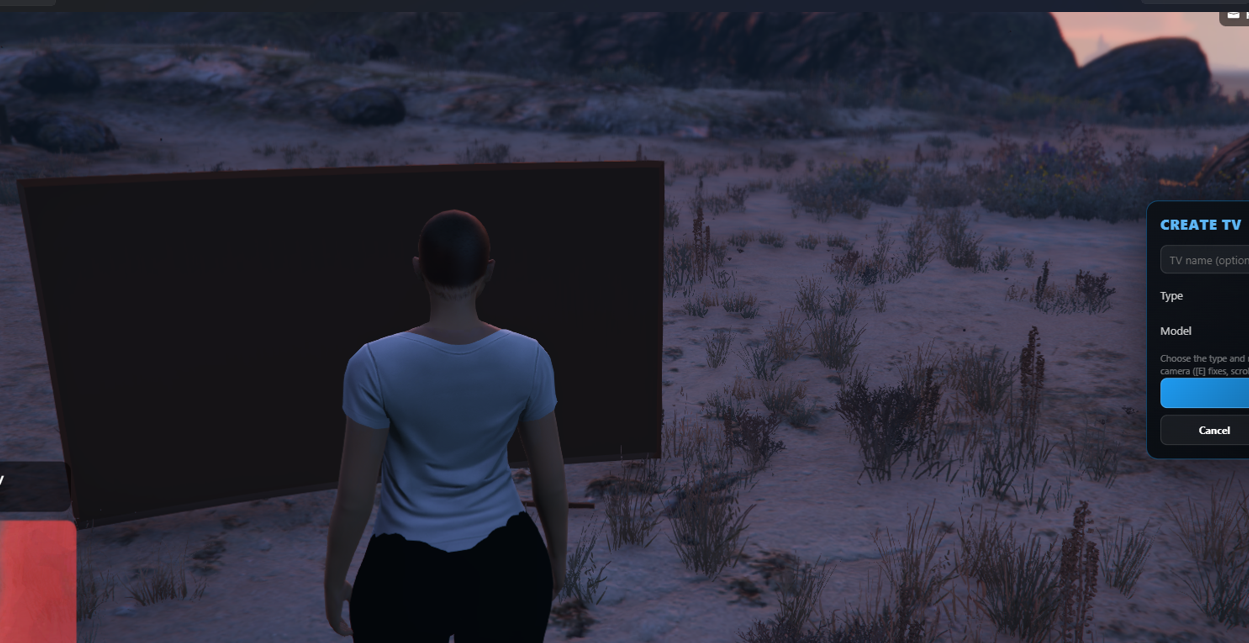
Create and manage interactive television locations directly inside your server using the included placement tools.
- In-game television creation interface
- Configurable creator command
- Select supported television models
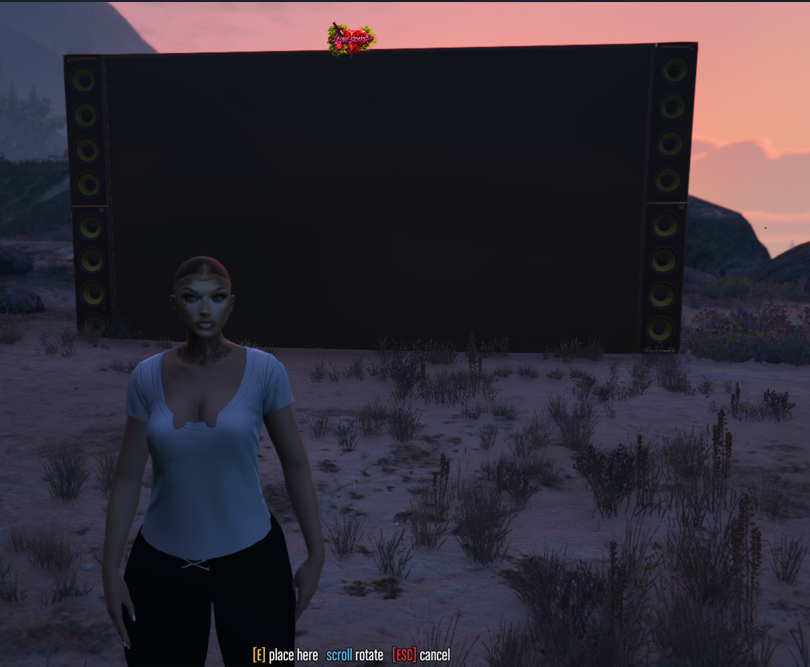
- Adjust television placement
- Customize object positioning
- Rotate televisions
- Configure television orientation
- Create freestanding screens
- Adjust screen width and height
- Customize screen dimensions
- Screen alignment settings
- Screen calibration options
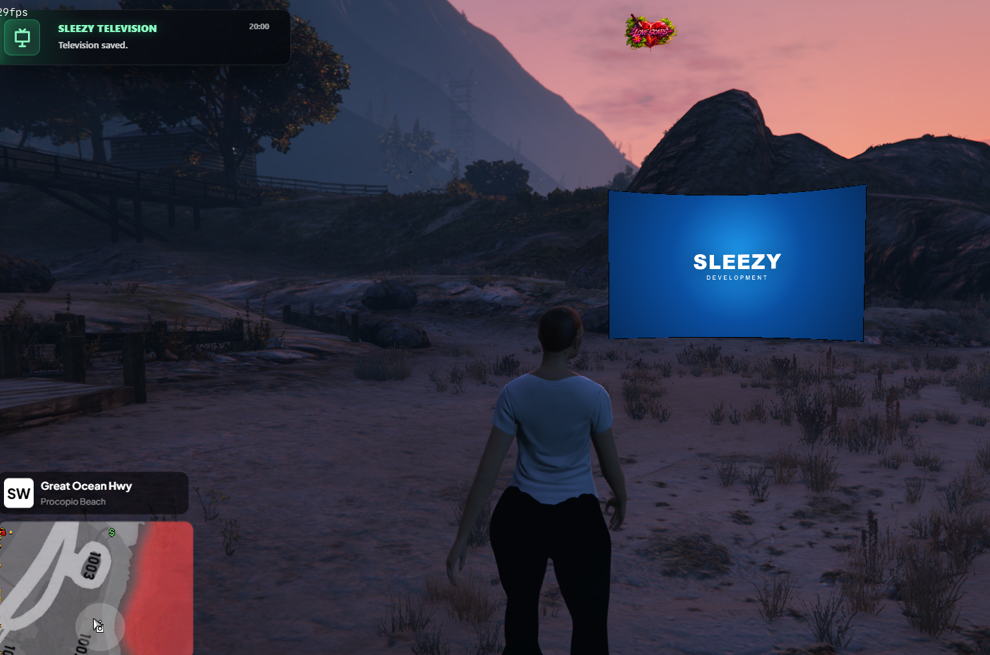
- Save created television locations
- Edit existing television placements
- Delete unwanted televisions
- Configurable creation permissions
- Placement limit configuration
- Server-side placement validation
The creator allows authorized users to customize television locations without manually entering every placement coordinate.
🖥️ Freestanding Screen System
In addition to supported television props, the system includes configurable freestanding screen placement.
- Custom screen positioning
- Adjustable screen dimensions
- Configurable screen orientation
- Screen calibration settings
- Custom placement locations
- Persistent screen configurations
- Individual screen management
- Configurable creation permissions
Freestanding screens can be used to create custom display locations within supported server environments.
📦 Television Store System
Give players access to purchasable television products through a configurable in-game store.
- Built-in television store
- Configurable store locations
- Editable television products
- Custom television prices
- Purchasable television items
- Inventory-based purchases
- Framework economy integration
- Configurable product selections
- Multiple supported television models
- Optional remote control items
- Server-side purchase validation
Server owners can configure the available products and pricing to suit their roleplay economy.
🏠 Placeable Television Items
Players can purchase and place supported televisions using compatible inventory systems.
- Place televisions from inventory
- Supported television model selection
- Placement positioning
- Configurable placement restrictions
- Save placed television locations
- Track eligible television ownership
- Pick up supported owned televisions
- Inventory validation during placement
- Inventory checks during pickup
- Server-side ownership verification
- Configurable television placement limits
This allows players to add interactive televisions to supported homes, apartments, businesses, and other locations.
🎮 Television Remote Controls
The system supports configurable remote control items for nearby television interaction.
- Inventory remote control support
- Open television controls using a remote
- Nearby television detection
- Configurable remote requirements
- Adjustable remote interaction distance
- Server-side item validation
- Optional direct television interaction
- Configurable access restrictions
Remote control functionality can be enabled or disabled according to your server's preferences.
🎯 Interaction Options
Choose how players interact with televisions throughout the city.
- ox_target support
- qb-target support
- Built-in proximity interaction
- Configurable interaction key
- Adjustable interaction distances
- Nearby television detection
- Optional remote control requirement
- Configurable interaction availability
- Multiple supported interaction methods
Server owners can select the interaction system that best matches their existing resources.
🔐 Ownership & Access Management
Control who can create, manage, and interact with supported televisions.
- Public television access
- Permission-based television access
- Inventory item requirements
- Television ownership verification
- Administrator management permissions
- ACE permission support
- Supported framework administrator permissions
- Server-side access validation
- Distance validation
- Supported television model validation
- Placement limit enforcement
- Interaction cooldowns
- Rate limiting for supported requests
These settings allow server owners to configure television access for different environments.
🎨 UI & Branding Customization
Customize the television interface and resource settings to match your server.
- Editable interface branding
- Custom server name
- Configurable accent colors
- Language selection
- Editable commands
- Custom permission settings
- Configurable television models
- Adjustable interaction distances
- Audio distance settings
- Default television volume
- Playback queue limits
- Screen appearance configuration
- Screen dimension settings
- Editable store products
- Custom product prices
- Configurable placement restrictions
- Ownership settings
- Framework integration settings
- Inventory integration settings
- Editable configuration and locale files
💾 Persistent Television Locations
Created television locations can be saved and managed through the resource's persistent placement system.
- Persistent television placement records
- Saved television positions
- Saved rotation information
- Saved freestanding screen dimensions
- Individual television configurations
- Edit existing locations
- Delete saved televisions
- Server-side placement management
- Configurable ownership validation
Saved placement information allows television locations to be restored and managed across resource restarts.
🧩 Framework Support
- ESX
- QBCore
- QBOX
- Standalone
- Automatic framework detection
Inventory Support
- ox_inventory integration
- qb-inventory integration
- Inventory item installation examples
- Configurable inventory bridge
Inventory purchases, ownership, and economy features require a compatible integration for the selected framework.
📦 What's Included
- Advanced Television System V2 Resource
- Custom Television Control Interface
- Television Management System
- Synchronized Television State Management
- Playback Queue Controls
- In-Game Television Creator
- Freestanding Screen Creator
- Television Placement Tools
- Screen Configuration Settings
- Persistent Television Locations
- Television Ownership Management
- Television Store System
- Placeable Television Items
- Remote Control Item Integration
- Framework & Inventory Bridge
- Target Interaction Integration
- Administrator Permission Settings
- Configurable Branding
- Editable Configuration Files
- Locale Files
- Installation Instructions
- Asset Escrow Configuration
🏠 Perfect For
- FiveM Roleplay Communities
- Custom Housing
- Apartments & Residential Interiors
- Player-Owned Businesses
- Hotels & Resorts
- Restaurants & Lounges
- Community Centers
- Entertainment Venues
- Social Gathering Locations
- Custom MLO Interiors
- Server Events
- Interactive Roleplay Environments
⚙️ Requirements
- FiveM Server
- OneSync for server-side entity and distance validation
- ESX, QBCore, QBOX, or configured standalone environment
- Compatible inventory system when item functionality is enabled
- Optional ox_target or qb-target
Additional integration requirements depend on your selected framework, inventory, and configuration.
⚙️ Installation
- Install the required framework and inventory dependencies.
- Add the television resource to your server.
- Configure framework detection and inventory settings.
- Set up television models and interaction options.
- Configure television store products and prices.
- Adjust administrator permissions and placement limits.
- Configure the interface branding and available settings.
- Start the resource through your server configuration.
- Test television interactions, placement, and ownership in-game.
⚙️ Important Information
This resource is designed for interactive television management and roleplay experiences within FiveM.
Screen content must be authorized for its intended use and comply with applicable platform rules and intellectual-property requirements.
The system does not include licenses to copyrighted films, music, television programs, or third-party media.
Server owners are responsible for configuring and using the system in accordance with applicable platform requirements.
Television placement, inventory functionality, and ownership management depend on supported models and compatible framework integrations.
💎 Why Choose This System?
Advanced Television System V2 provides more than basic television interaction.
With its dedicated control interface, configurable television locations, freestanding screen creator, ownership system, inventory items, and customizable store, server owners can introduce interactive television experiences throughout their community.
Instead of relying exclusively on static television props, administrators and players can create, position, manage, and interact with supported televisions across homes, businesses, and shared roleplay locations.
Built with flexibility, customization, and server management in mind, Advanced Television System V2 provides a complete television placement and interaction system for FiveM communities.
Developer: Sleezy Development
Version: V2
Frameworks: ESX • QBCore • QBOX • Standalone
Resource: sleezy_televisionv2
Support: discord.gg/sleezydevelopment
Sleezy Development • Premium FiveM Systems
Script Preview: (1) Sleezy Development - YouTube
Discord Support: Discord