Sleezy Development • Advanced Body Bag & CK System (ESX, QBCore, QBOX & Standalone)
Bring more realistic emergency response, medical transport, funeral services, and character-ending roleplay to your FiveM server with the Sleezy Development Advanced Body Bag & CK System.
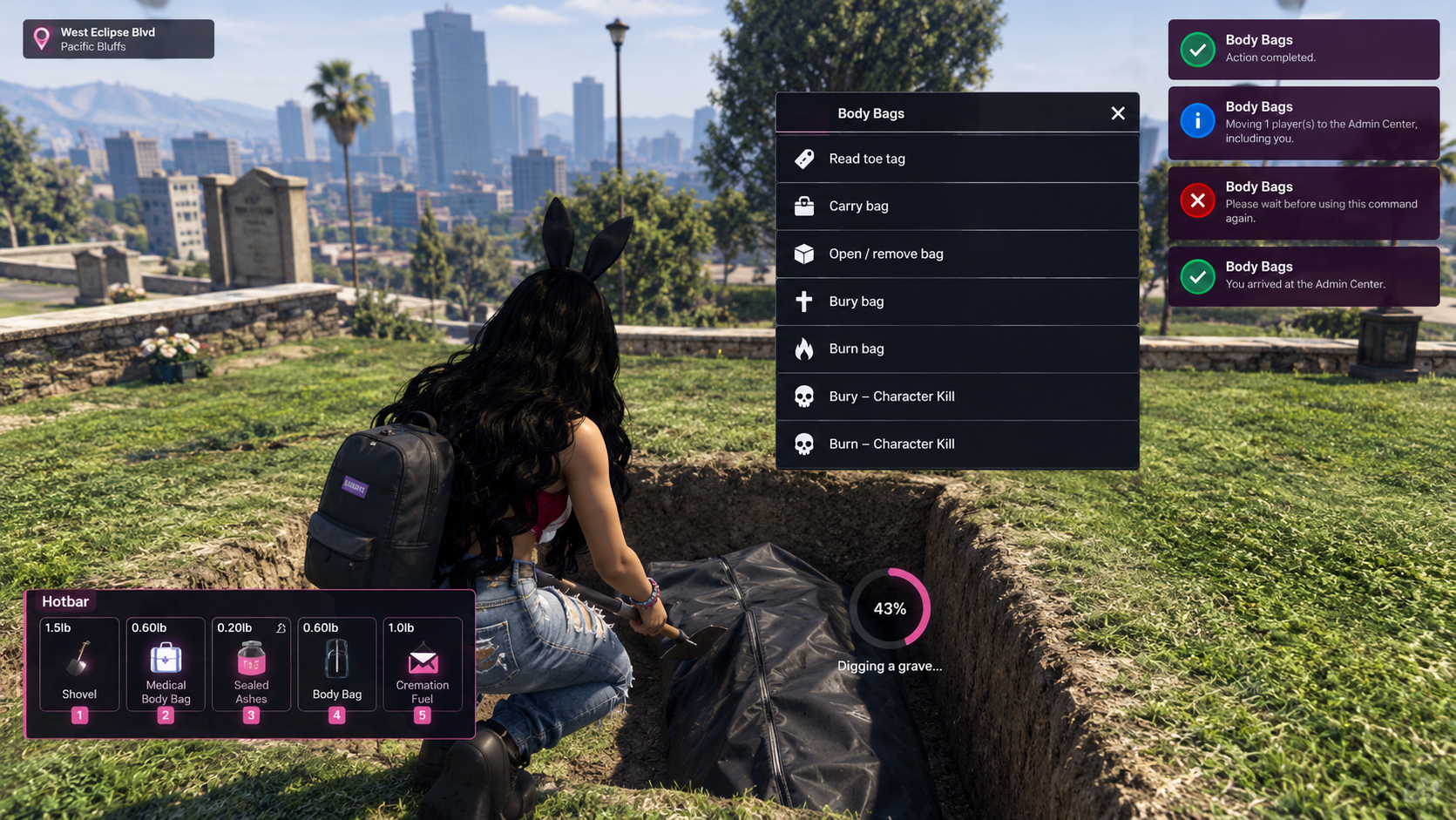
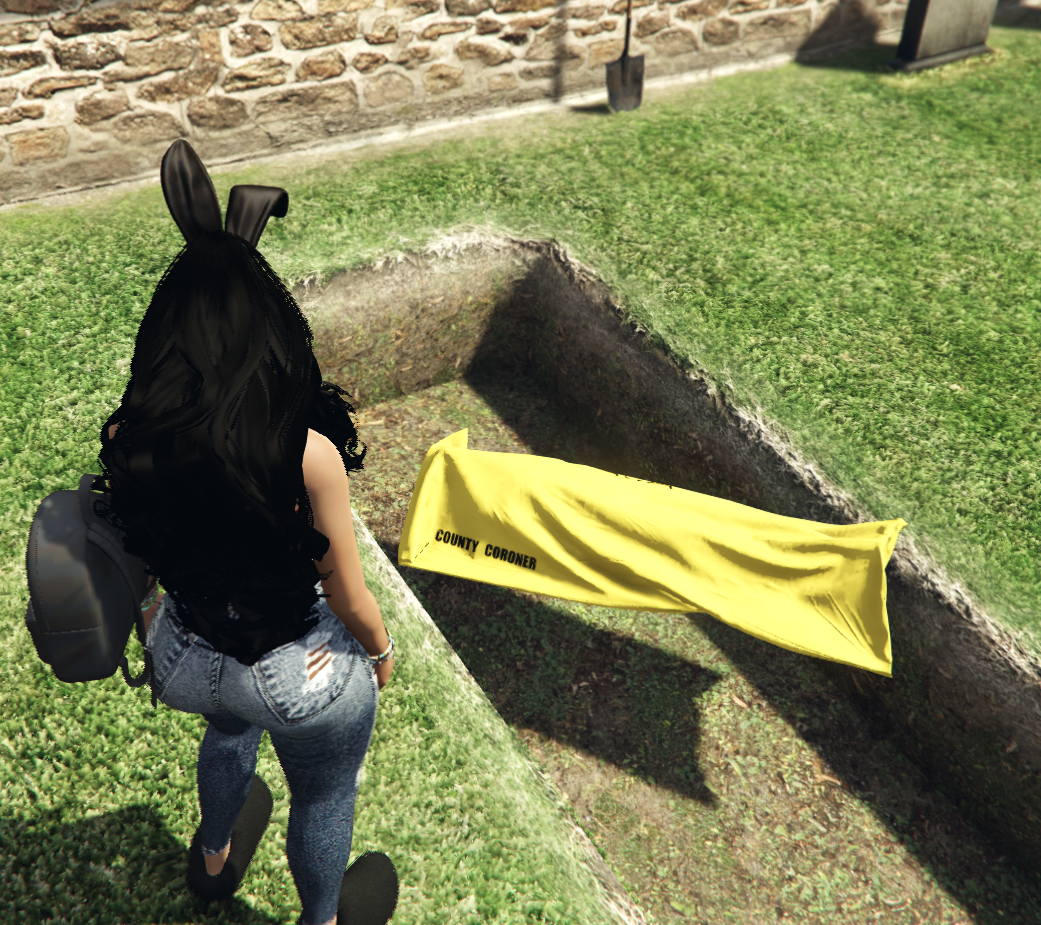
Designed for immersive roleplay communities, this system allows players to place deceased characters into body bags, transport them, inspect identification tags, organize burials, and complete configurable character-ending scenarios.
The system includes separate civilian and EMS body bags, interactive carrying, configurable burial locations, cremation scenes, funeral announcements, player identification records, and a dedicated Character Kill (CK) system.
Server owners can configure available actions, required items, job permissions, disposal locations, character outcomes, and administrative restrictions to match their server's roleplay rules.
Built with multi-framework compatibility, inventory integration, server-side validation, and extensive customization options.
⚙️ Features
- Advanced body bag system
- Civilian and EMS body bags
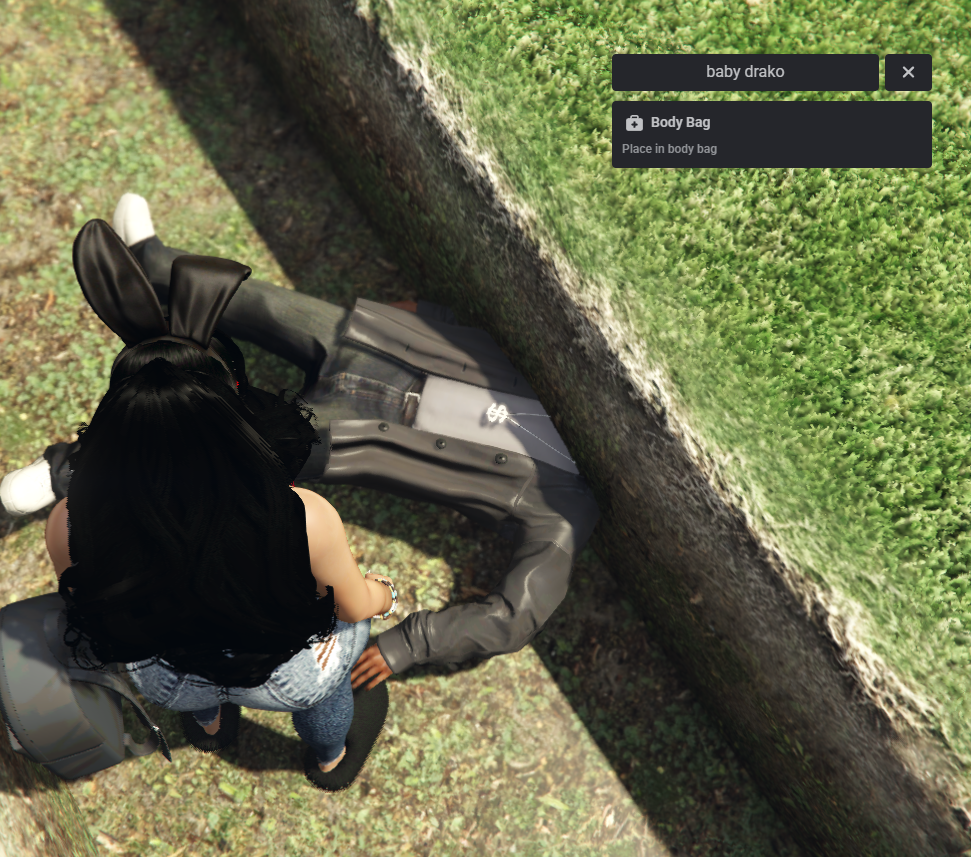
- Interactive player body bagging
- Deceased character detection
- Body bag carrying and dropping
- Open and remove existing body bags
- Configurable character interaction distance
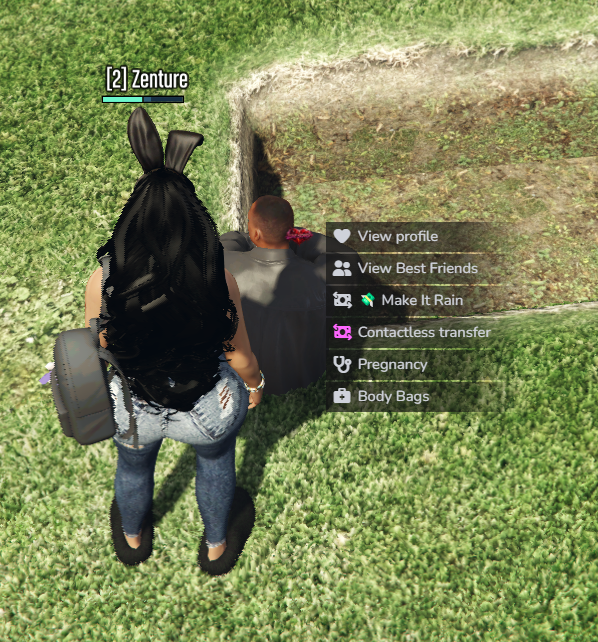
- Third-eye interaction support
- Built-in E-key interaction
- Command-based interaction
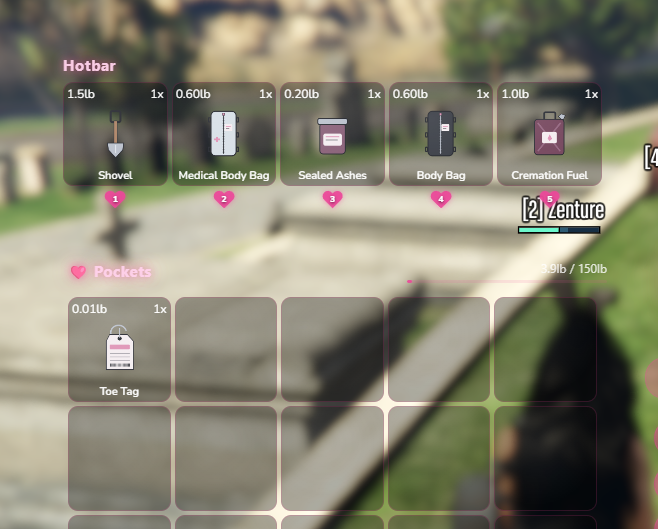
- Inventory-based body bag items
- Configurable action animations
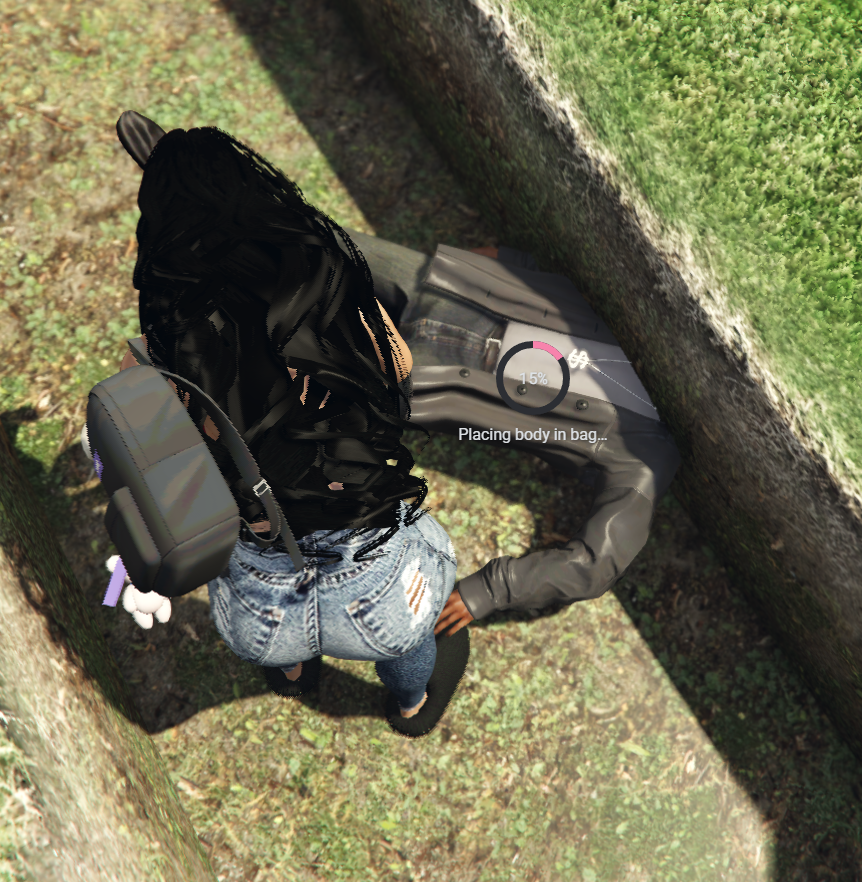
- Interactive progress indicators
- Body bag prop synchronization
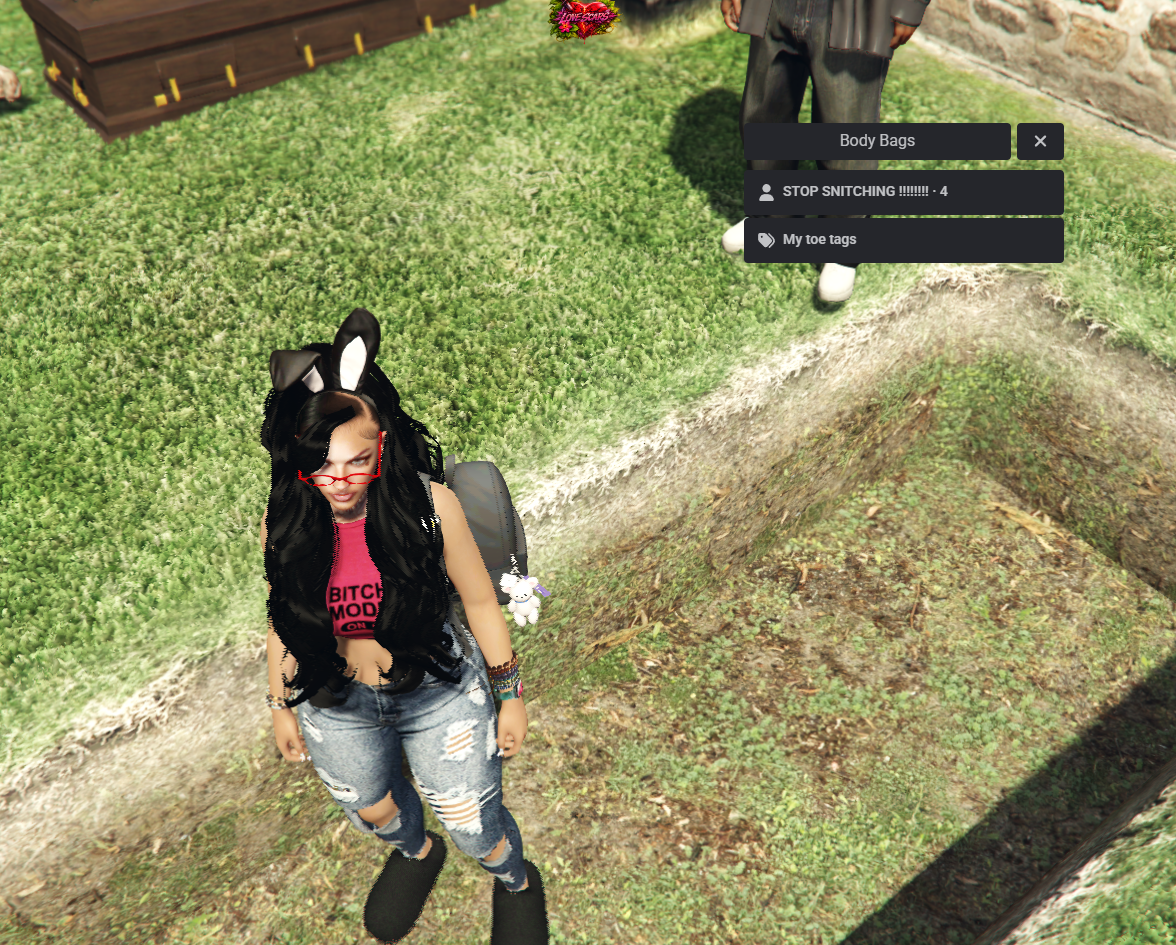
- Toe tag identification system
- Persistent identification history
- Configurable burial locations
- Burial item requirements
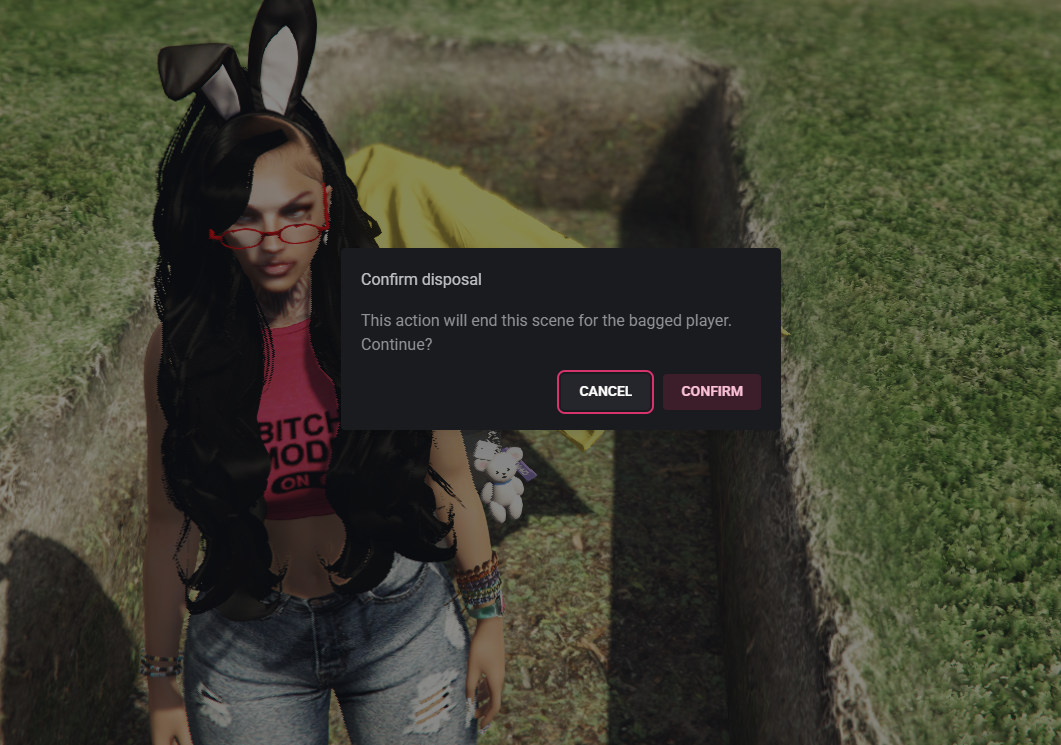
- Interactive funeral scenes
- Coffin and character display options
- Configurable cremation scenes
- Optional collectible aftermath items
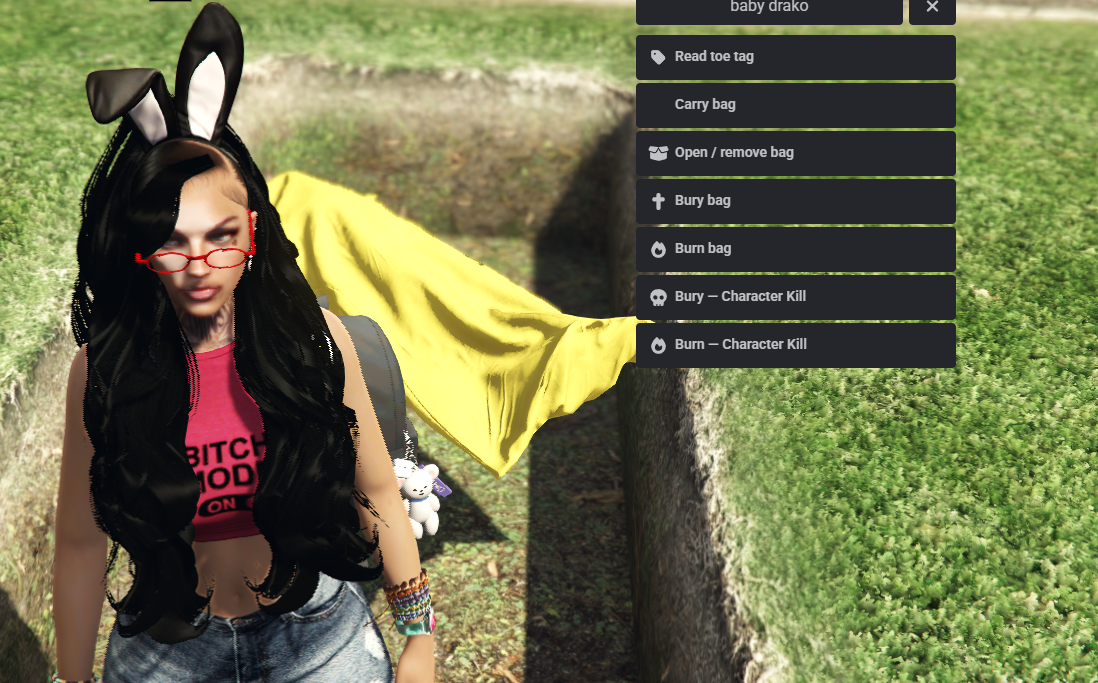
- Dedicated Character Kill actions
- Permanent character deletion option
- Configurable administrator permissions
- Optional player consent requirements
- Funeral announcements
- Optional police notifications
- Custom character outcome settings
- Medical resource integrations
- Configurable inventory support
- Automatic framework detection
- Server-side security validation
- Customizable branding and notifications
🎒 Advanced Body Bag System
Players can interact with deceased characters using supported body bag items.
- Place deceased players into body bags
- Dedicated civilian body bag
- Separate medical body bag
- Configurable body bag models
- Adjustable bag positioning
- Custom model offsets and rotation
- Configurable installation animations
- Adjustable bagging duration
- Open and remove existing body bags
- Automatic body bag cleanup
- Character death-state verification
- Configurable maximum active body bags
- Automatic cleanup after disconnection or revival
Default Body Bag Types
Civilian Body Bag
- Available through configured inventory access
- Supports carrying
- Supports burial
- Supports cremation
- Configurable roleplay outcome
EMS Body Bag
- Designed for medical roleplay
- Restricted to the ambulance job by default
- On-duty requirement support
- Supports carrying
- Supports burial
- Cremation disabled by default
- Uses a separate configurable outcome
Additional body bag types can be configured with compatible inventory definitions.
🤝 Body Bag Carrying & Transport
Transport bagged characters using the integrated carrying system.
- Pick up supported body bags
- Carry bagged characters on foot
- Drop body bags at selected locations
- Configurable carrying position
- Adjustable carrying rotation
- Automatic attachment handling
- Configurable maximum carrying distance
- Sprint restrictions while carrying
- Automatic detach when interrupted
- Cleanup when a player disconnects
- Vehicle interaction restrictions
- Routing bucket compatibility checks
Carrying is designed for on-foot transport. Players must put down a body bag before performing supported disposal actions.
🏷️ Toe Tag Identification System
Keep track of deceased characters through an interactive identification system.
- Inspect body bags
- View character identification information
- Generate identification records
- Configurable toe tag inventory item
- Persistent identification history
- View previously recorded tags
- Configurable history limits
- Optional item delivery following disposal
- ox_inventory metadata support
- qb-inventory metadata support
Default Configuration
- Toe tag system enabled
- Identification history limit of 20 records
- Optional toe tag inventory rewards
Servers using the standard ESX inventory can access identification history through the system's menu without requiring item metadata support.
⚰️ Burial & Funeral System
Organize funeral and burial roleplay through configurable locations.
- Configurable burial locations
- Custom cemetery coordinates
- Adjustable burial radius
- Optional burial anywhere setting
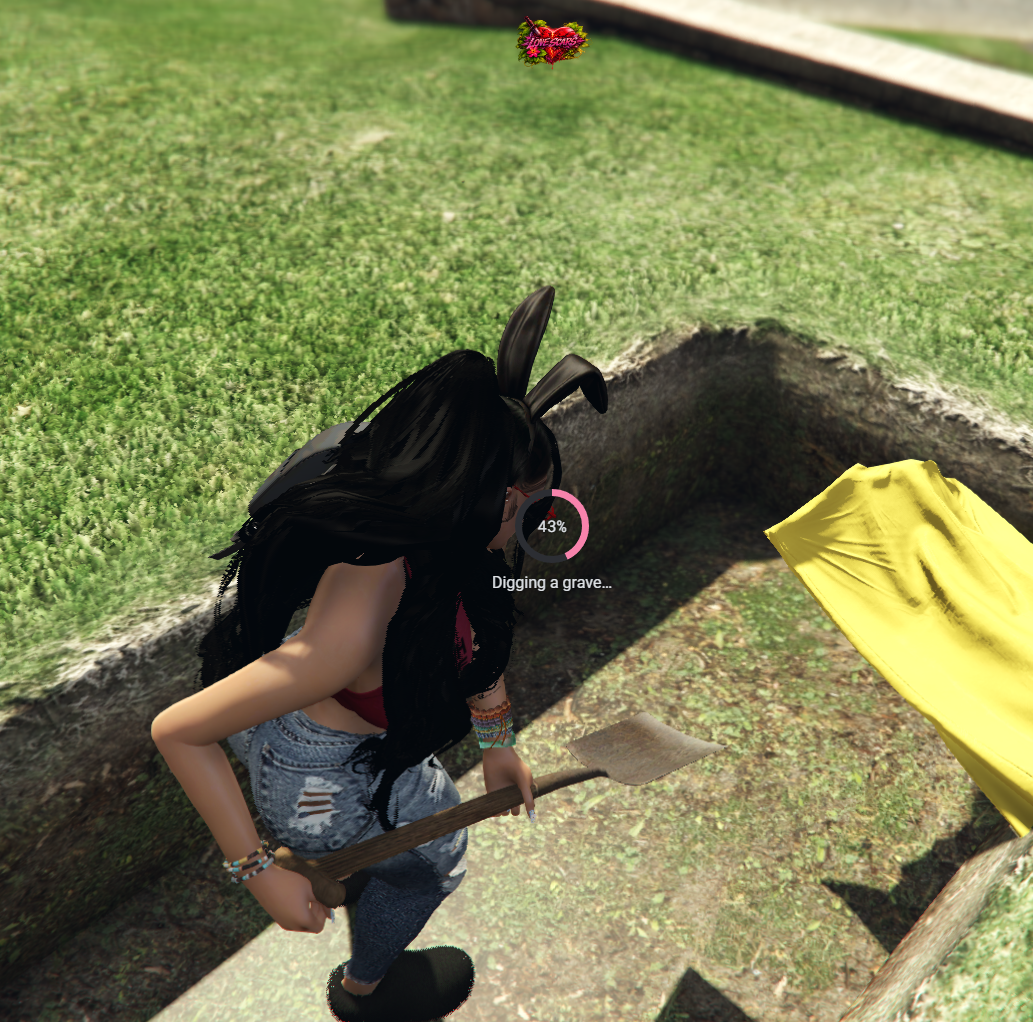
- Shovel item requirement
- Configurable item consumption
- Interactive burial animation
- Adjustable burial duration
- Configurable burial permissions
- Support for multiple burial locations
- Dedicated burial outcome handling
- Optional funeral coffin display
- Optional character display
- Automatic scene cleanup
Default Burial Settings
- Cemetery-based burial
- Shovel required
- Shovel retained after use
- 15-second burial interaction
- Configurable burial area
The default setup includes a cemetery location that can be changed or expanded through config.lua.
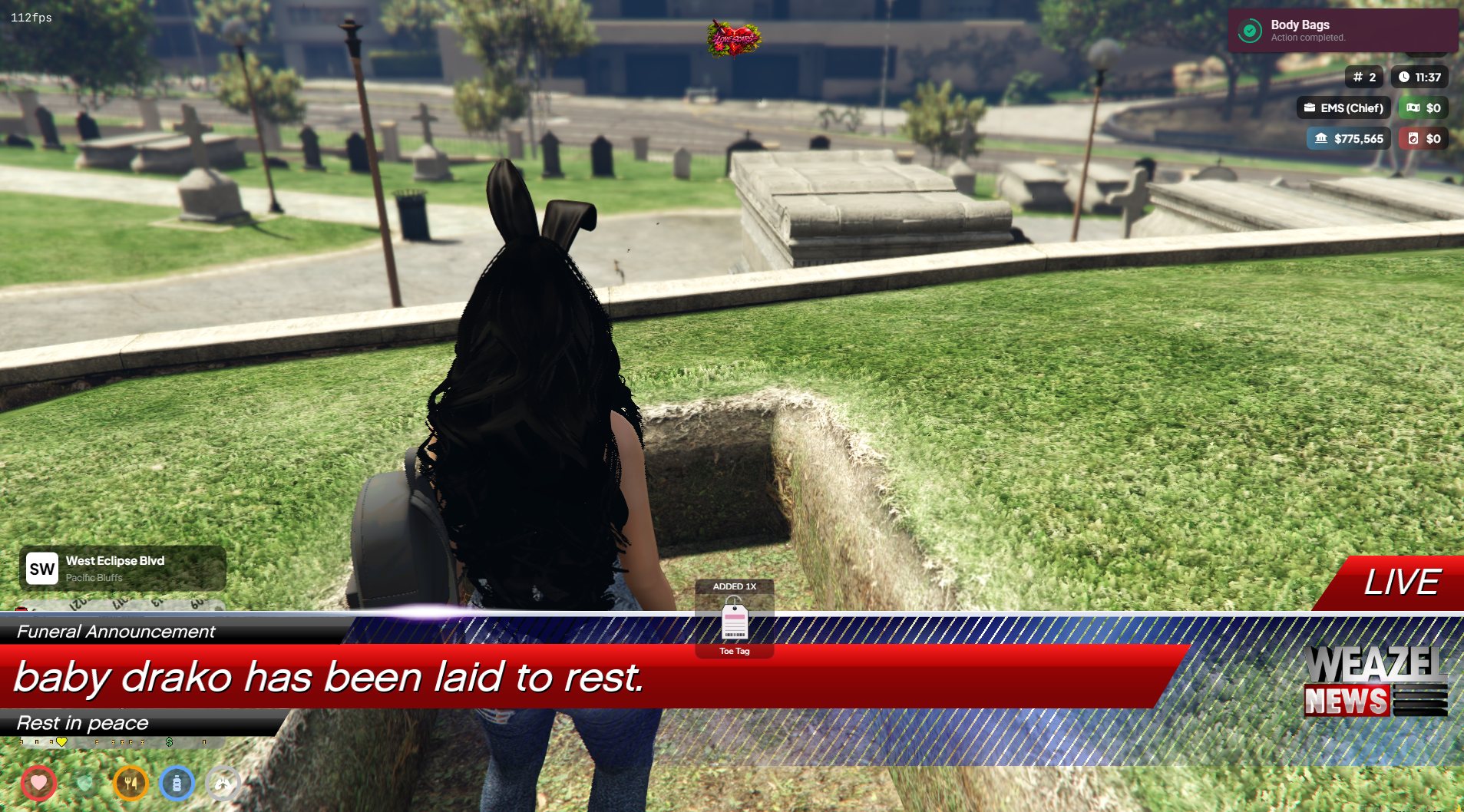
📢 Funeral Announcements
Notify your community when a configured funeral or burial scene is completed.
- Native GTA-style announcement popup
- Custom announcement title
- Configurable announcement message
- Character name support
- Editable footer text
- Adjustable announcement duration
- Optional announcement sound
- Custom sound configuration
- Optional compact notification style
- CK-only announcement option
- Automatic notification cleanup
Default Announcement Settings
- Funeral announcements enabled
- Native news-style popup
- 8-second display duration
- Configurable sound effects
Server owners can disable announcements or restrict them to Character Kill outcomes.
🎬 Funeral Display System
Create temporary funeral displays using supported in-game props.
- Configurable coffin model
- Adjustable coffin coordinates
- Custom positioning and heading
- Optional character display
- Adjustable character placement
- Configurable animation
- Temporary funeral scene duration
- Automatic display cleanup
- Non-networked character display
- Configurable display visibility
The system does not include a custom cemetery or funeral home MLO.
🔥 Configurable Cremation System
The system also supports a separate cremation roleplay interaction.
- Configurable cremation locations
- Optional unrestricted location setting
- Required fuel item
- Configurable fuel consumption
- Interactive progress animation
- Visual scene effects
- Adjustable interaction duration
- Automatic visual cleanup
- Optional collectible aftermath item
- Configurable collection delay
- Collection expiration settings
- Server-side collection validation
Visual effects are localized to the roleplay scene and do not create damaging world fires.
📦 Optional Aftermath Item System
The resource includes an optional collectible item system associated with completed cremation scenes.
- Configurable collectible item
- Adjustable collection delay
- Inventory item support
- Configurable item quantity
- Item collection cooldowns
- Optional usable Opp Pack item
- Configurable character effects
- Adjustable effect durations
- Optional movement and stamina effects
- Optional armor bonus
- Custom item images included
- Feature can be disabled
The included collectible and its effects are fictional in-game mechanics.
💀 Character Kill (CK) System
Manage character-ending roleplay through dedicated CK actions.
- Separate CK burial action
- Separate CK cremation action
- Configurable CK availability
- Permanent character deletion mode
- Disconnect-only CK mode
- Optional administrator authorization
- Optional player consent
- Adjustable consent timeout
- Configurable CK action permissions
- Server-side character validation
- Character session verification
- Configurable CK outcome messages
- Automatic cleanup following completed actions
Supported CK Modes
Permanent CK
Removes the selected character's supported database records following a completed CK operation.
- Server-side character identification
- Primary character record validation
- Database schema checks
- Transaction-based deletion
- Supported character-owned data cleanup
- Post-deletion verification
- Persistent deletion and recovery records
- Automatic retry of pending operations
- Reconnection protection for retired characters
Permanent CK requires oxmysql and a compatible character database.
Disconnect-Only CK
- Ends the active roleplay session
- Disconnects the selected player
- Displays a configurable message
- Does not permanently delete character data
- Does not independently prevent reconnection
CK behavior, restrictions, and availability can be adjusted through config.lua.
🏥 EMS & Medical Roleplay Integration
The system includes support for common medical resources.
- QBOX medical integration
- QBCore ambulance integration
- ESX ambulance integration
- Documented Wasabi Ambulance integrations
- Configurable deceased-state detection
- Optional last-stand compatibility
- Medical revival handling
- Automatic cleanup after revival
- Editable medical integration bridge
- Optional custom medical adapters
- Job and on-duty validation
Medical body bags can be restricted to specific jobs and minimum grades.
Custom medical resources may require adjustments through the provided integration files.
📍 Configurable Character Outcomes
Server owners can configure different outcomes for normal body bag actions.
- Return a character to an available configured destination
- Leave medical respawn handling to the existing system
- Disconnect a character without deleting their data
- Use a configured permanent character-ending outcome
Available Destination Options
- Hospital
- Heaven
- Hell
- Random destination selection
Destination coordinates and routing bucket behavior are configurable.
Custom Heaven or Hell interiors are not included and must be supplied separately where desired.
🚨 Optional Police Notifications
Enable roleplay notifications for configured activities.
- Configurable police job access
- Sheriff job support
- Adjustable notification chance
- Custom alert duration
- Map blip configuration
- Configurable alert colors
- Bagging activity alerts
- Burial activity alerts
- Cremation activity alerts
- Optional dispatch integration
Police alerts are disabled by default and can be enabled through the configuration.
🔐 Admin & Permission Support
- ACE permission integration
- QBCore administrator permissions
- QBOX-compatible ACE permissions
- ESX administrator groups
- Standalone ACE support
- Configurable administrator identifiers
- Job-based action restrictions
- Minimum job grade requirements
- Optional on-duty requirements
- Per-action administrator restrictions
- Separate CK permission settings
- Server-side permission verification
Admin Features
- Open body bag administration menu
- Remove individual body bags
- Clear active removable body bags
- Manage supported cleanup actions
- Configure administrator access
🎮 Commands & Interactions
/bodybag — Open the body bag menu.
/bodybag [id] — Open available interactions for a nearby player.
/bodybag tags — View identification history.
/bodybagadmin — Open the administrator menu.
/bodybagadmin [id] — Remove a selected player's body bag.
/bodybagadmin all — Clear removable active body bags.
Additional interaction methods include:
- Usable inventory items
- ox_target
- qb-target
- E-key proximity prompts
- Optional configurable menu keybind
Commands and interaction settings are editable.
🎨 UI & Customization
- ox_lib context menus
- Configurable interface title
- Custom Sleezy Development branding
- Editable notification colors
- Pink and plum default theme
- Custom background colors
- Adjustable text colors
- Configurable accent colors
- Notification position settings
- Editable notification text
- Custom command names
- Adjustable interaction distances
- Configurable animations
- Custom item requirements
- Editable roleplay outcomes
- Adjustable scene durations
- Configurable burial locations
- Cremation location settings
- CK permission controls
- Custom funeral announcements
- Editable locale strings
- Configurable cleanup intervals
- Editable
config.lua
🛡️ Security & Performance
- Server-side action validation
- Character identity verification
- Deceased-state validation
- Distance and routing bucket checks
- Item requirement verification
- Configurable action cooldowns
- Request rate limiting
- Duplicate action prevention
- Interrupted progress handling
- Server-side completion checks
- Automatic entity cleanup
- Carrying state validation
- Resource shutdown cleanup
- Configurable active bag limits
- Failed inventory operation handling
- Retry support for pending deletion operations
💾 Saving & Database Support
- Persistent toe tag history
- Persistent pending inventory refunds
- Resource KVP storage
- Configurable cleanup behavior
- No SQL database required for normal body bag interactions
- oxmysql required for permanent CK
- Standard QBCore and QBOX character table support
- Standard ESX character table support
- Configurable character database mappings
Custom multicharacter systems, proprietary inventories, and nonstandard database schemas may require additional integration.
🧩 Framework Support
- ESX
- QBCore
- QBOX
- Standalone
- Automatic framework detection
Inventory Support
- ox_inventory
- qb-inventory
- Native ESX inventory
- Item-free configuration option
- Editable integration bridges
Standalone servers require appropriate character and inventory integrations for their selected features.
📦 What's Included
- Advanced Body Bag & CK Resource
- Civilian Body Bag System
- EMS Body Bag System
- Body Bag Prop
- Carrying & Transport System
- Toe Tag Identification System
- Burial System
- Cremation System
- Funeral Coffin Display
- Character Display Configuration
- Funeral Announcement System
- Permanent Character Kill Integration
- Configurable CK Permissions
- Optional Collectible Item System
- Police Notification Configuration
- Medical Framework Integrations
- Administrator Commands
- Framework & Inventory Bridges
- Inventory Item Definitions
- Inventory PNG Images
- Editable Configuration
- Editable Locale File
- ESX Item SQL
- Installation Guide
- Asset Escrow Configuration
🏠 Perfect For
- FiveM Roleplay Communities
- EMS & Ambulance Roleplay
- Police & Investigation Roleplay
- Funeral Service Businesses
- Medical Roleplay
- Character Development
- Serious Roleplay Communities
- Cemetery Roleplay
- Community Storylines
- Server Administration
- Character Kill Roleplay
⚙️ Installation & Requirements
- FiveM Server
- OneSync Enabled
- ox_lib
- Supported Framework or Configured Standalone Integration
- Compatible Inventory for Item-Based Features
- oxmysql for Permanent CK
- Optional ox_target or qb-target
- Compatible Medical Resource for Medical Integration
Quick Installation
- Install and ensure the required dependencies.
- Add
sleezy_bodybag to your resources folder.
- Install the provided inventory item definitions and images.
- Import the supplied ESX item SQL if using the default ESX inventory.
- Configure body bag types and interaction settings.
- Set up burial locations and required items.
- Configure CK permissions, consent, and character database compatibility.
- Adjust funeral announcements and other optional features.
- Start the resource after its dependencies.
- Test the medical interactions, burial actions, and CK functions before enabling them for players.
⚙️ Important Information
This system provides fictional body-handling, funeral, and character-ending features exclusively for FiveM roleplay environments.
Permanent CK permanently removes supported character data and should only be enabled after reviewing database compatibility, configuring appropriate permissions and consent requirements, and creating database backups.
The supplied default configuration permits eligible players to initiate CK actions without administrator approval or target consent. Server owners should change these settings before deployment according to their community rules.
Permanent CK supports standard framework character identifiers but may require custom database mappings for modified character systems.
Normal body bag interactions and permanent CK are separate features with independently configurable outcomes.
The resource does not include custom Heaven/Hell maps, cemetery MLOs, or medical job resources.
Some visual features and animations depend on the installed game build, medical integration, and available models.
💎 Why Choose This System?
The Sleezy Development Advanced Body Bag & CK System combines medical transport, identification, funeral management, and configurable character-ending roleplay in a single resource.
With civilian and EMS body bags, carrying mechanics, toe tag records, burial scenes, funeral announcements, customizable outcomes, and administrative controls, the system provides additional interaction options for serious roleplay communities.
The separate CK system allows server owners to configure character-ending scenarios according to their server rules, while the editable integration files support different framework and inventory setups.
Developer: Sleezy Development
Version: 1.5.0
Frameworks: ESX • QBCore • QBOX • Standalone
Resource: sleezy_bodybag
Dependencies: ox_lib • OneSync
Database: oxmysql required for permanent CK
Support: discord.gg/sleezydevelopment
Sleezy Development • Premium FiveM Systems
Script Preview: (1) Sleezy Development - YouTube
Discord Support: Discord