Sleezy Development • Advanced Capture the Flag System (ESX, QBCore, QBOX & Standalone)
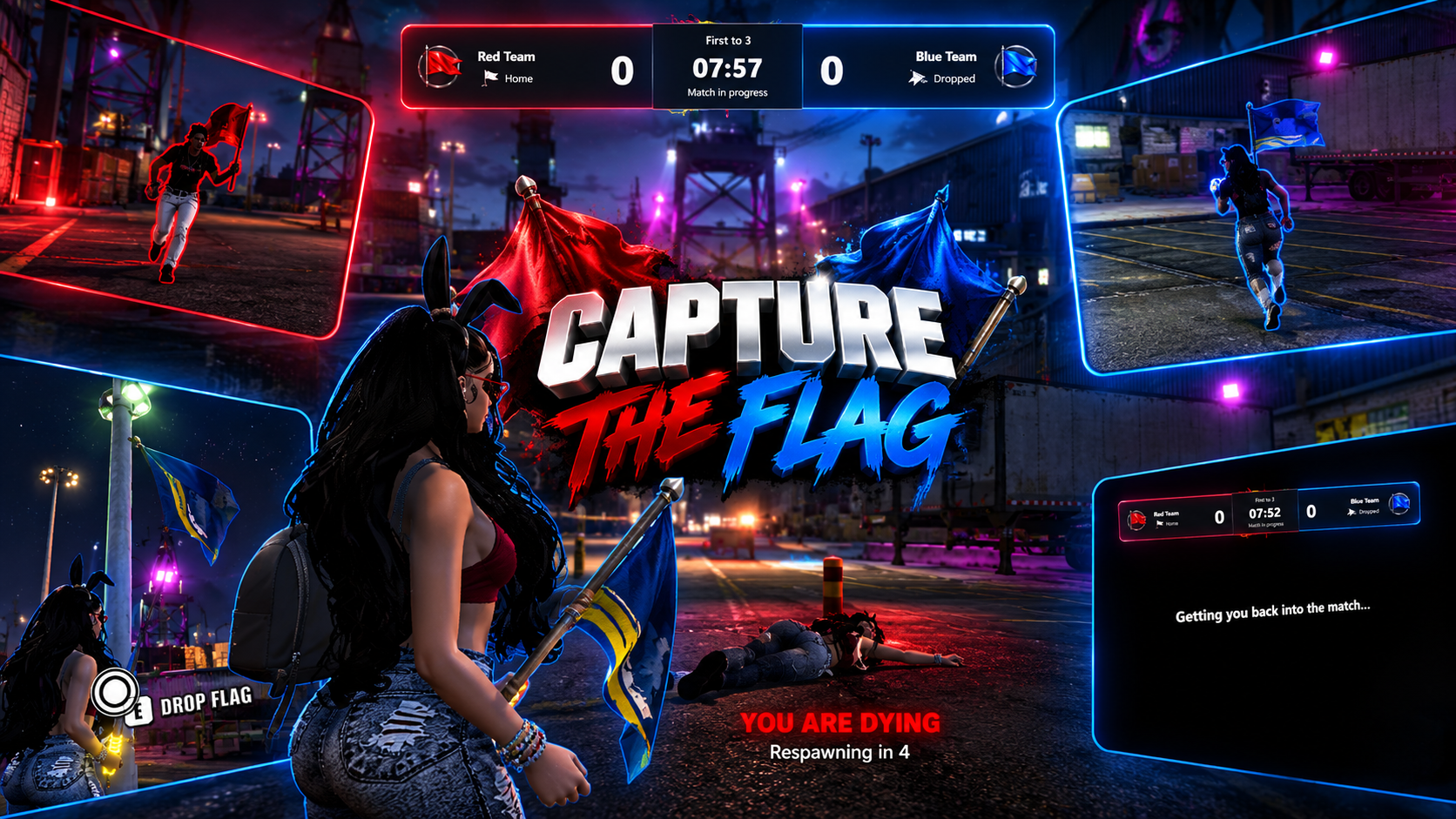
Bring competitive team-based events, interactive flag capturing, custom arenas, and organized multiplayer matches to your FiveM server with the Sleezy Development Advanced Capture the Flag System.
Designed for roleplay communities, PvP events, and server competitions, this system allows players to register for two opposing teams, compete to capture the enemy flag, defend their own territory, and earn configurable rewards for winning matches.
Players can join the Red or Blue team, prepare in their team lobby, participate in timed matches, capture and return flags, and compete for victory through an interactive event system.
The system includes a custom registration NPC, team selection interface, live scoreboard, interactive flag props, contextual E-key interactions, optional carrier highlighting, temporary weapon loadouts, automatic respawning, arena boundaries, configurable rewards, and administrator match controls.
Built with a custom user interface, team artwork, synchronized gameplay, sound effects, configurable arenas, and multi-framework compatibility.
⚙️ Features
- Advanced team-based Capture the Flag system
- Two opposing teams per match
- Configurable team names and colors
- Custom Red and Blue team artwork
- Multiple configurable arenas
- Custom arena locations
- Registration NPC system
- Interactive E-key registration
- Custom team selection menu
- Manual team selection
- Automatic team balancing
- Configurable team capacity
- Manual match starting
- Optional automatic match starting
- Administrator match controls
- Configurable match countdown
- Live match scoreboard
- Real-time team scores
- Match timer and flag status
- Interactive flag capturing
- Physical flagpole props
- Enemy flag pickup
- Friendly flag recovery
- Manual flag dropping
- Flag carrier tracking
- Optional flag carrier outlines
- Team-colored map markers
- Custom capture zones
- Configurable arena boundaries
- Out-of-bounds prevention
- Temporary match weapon loadouts
- Configurable weapon selection
- Infinite match ammunition option
- Friendly fire settings
- Spawn protection
- Automatic player respawning
- Medical system integration
- Custom victory announcements
- Match results and player rankings
- Optional money and item rewards
- Configurable leaderboard rewards
- Automatic match cleanup
- Restore players after matches
- Custom UI branding and logo
- Included event artwork and sounds
- Server-side gameplay validation
- Automatic framework detection
- No SQL database required
🚩 Capture the Flag Gameplay
Players compete to steal the opposing team's flag and return it to their own capture zone.
- Join one of two opposing teams
- Spawn at your team's configured location
- Defend your team's flag
- Enter enemy territory
- Interact with the enemy flag
- Carry the captured flag toward your base
- Return to your team's capture zone
- Complete the capture interaction
- Earn a point for your team
- Continue competing until the match ends
Default Match Rules
- First team to 3 captures wins
- 10-minute match duration
- 5-second starting countdown
- 5-second respawn delay
- Minimum 2 total players, with both teams represented
- Maximum 8 players per team
- 25-second dropped flag return timer
- Friendly fire disabled
- Team balancing enabled
All match rules are configurable through config.lua.
👥 Team Registration System
Players can join Capture the Flag events through a dedicated registration NPC.
- Configurable registration NPC
- Custom NPC model
- Adjustable NPC heading
- Configurable idle scenario
- NPC located at the arena lobby
- Interactive registration prompt
- E-key interaction
- Custom registration distance
- Open the team selection menu
- Choose an available team
- Automatically join a balanced team
- View registered participants
- Leave the event before or during a match
- Configurable registration locations
Default Registration Interaction
- Security NPC model
- Clipboard idle animation
- White circular interaction marker
- E-key registration prompt
- Customizable interaction text
The registration prompt is positioned near the NPC's upper body and can be adjusted through configuration.
🔴 Red Team & 🔵 Blue Team
Create competitive matches using two customizable teams.
Team Features
- Individual team names
- Custom team colors
- Custom team images
- Individual team spawn positions
- Separate flag locations
- Separate capture zones
- Configurable map blip colors
- Team-specific scoreboard information
- Team membership validation
- Configurable maximum team sizes
Default Teams
Server owners can rename either team and configure custom RGB and hexadecimal colors.
Custom team artwork can also be supplied to match the selected colors.
⚖️ Automatic Team Balancing
Keep matches organized with configurable team balancing.
- Prevent teams from exceeding capacity
- Automatic balanced team selection
- Optional manual team selection
- Prevent joining a full team
- Balance restrictions when enabled
- Administrator team assignment
- Configurable team limits
- Individual arena player capacity
Administrators can assign registered players to a selected team before the match begins.
🎮 Manual Match Starting
Matches are configured to start manually by default.
- Players register before the match
- Both teams must meet player requirements
- Start Match button appears when eligible
- No automatic start after team registration
- Optional administrator-only starting
- Optional automatic match starting
- Server-side start validation
- Match countdown before gameplay
- Configurable minimum player requirement
By default, registered participants can start a match once the player requirements are satisfied.
Server owners can change the starting permission to administrators only.
🏳️ Interactive Flag System
The system includes physical flag models and synchronized flag states.
- Red and Blue flagpole props
- Individual flag base locations
- Visible home flags
- Physical dropped flag props
- Enemy flag pickup interactions
- Friendly dropped flag recovery
- Manual flag dropping
- Automatic flag dropping on death
- Flag dropping when leaving
- Flag dropping on disconnect
- Automatic dropped flag return
- Configurable flag interaction distance
- Configurable flag positioning
- Optional nearby lighting effects
- Adjustable flag prop settings
Flag States
The interface and map update to reflect the current flag state.
Flag Carrier Visuals
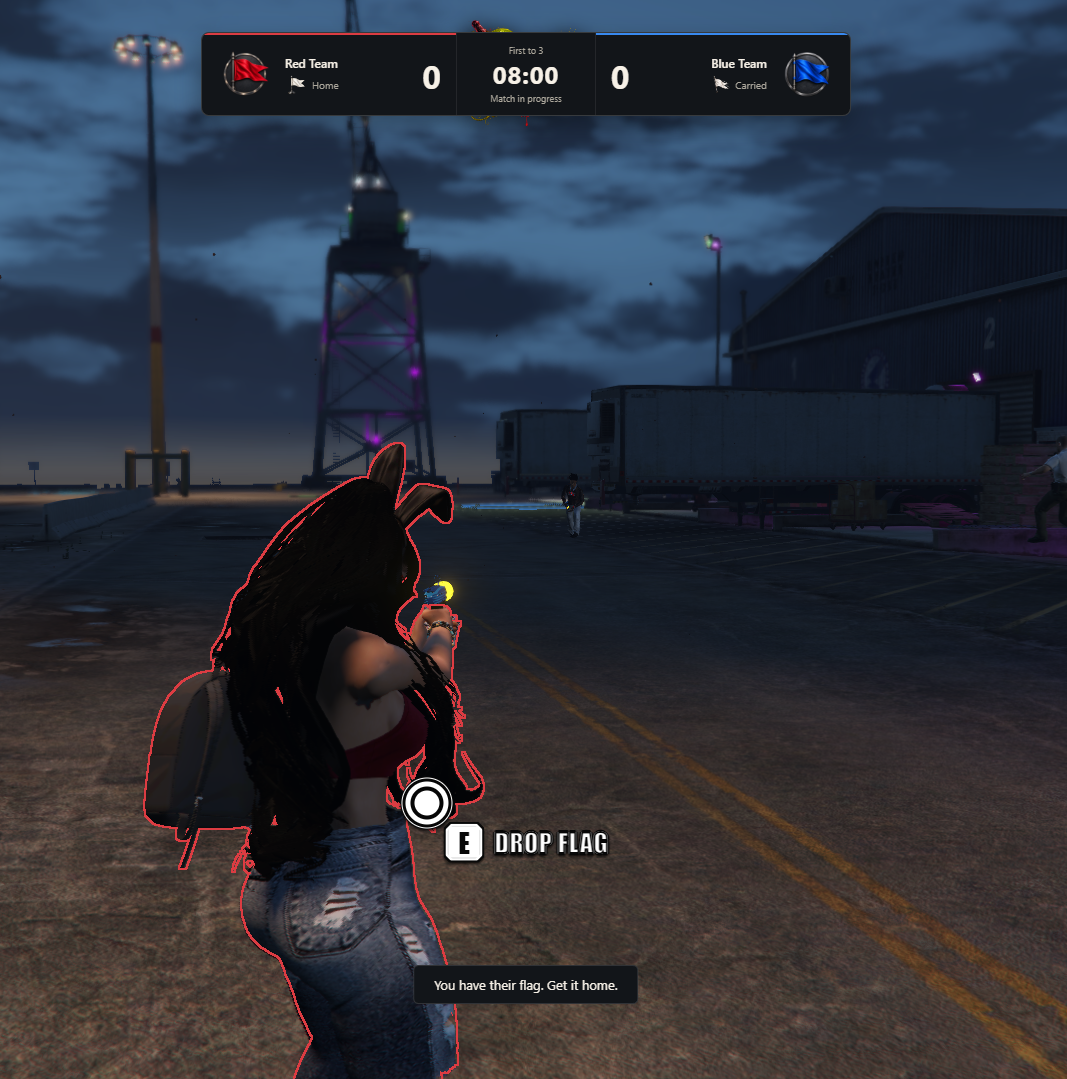
The carried flag is tracked through gameplay state, map indicators, and optional player outlines.
Physical flag attachment to a player's character is disabled by default in v1.1.8. Home and dropped flag props remain visible.
🎯 Custom E-Key Interactions
The resource includes its own contextual interaction system.
- White circular interaction indicator
- Outlined E-key prompt
- Bold interaction labels
- Dynamic interaction text
- World-positioned prompts
- Optional fixed-screen positioning
- Adjustable prompt size
- Configurable prompt height
- Editable key label
- Custom interaction distance
- Prompt visibility checks
- Automatic prompt cleanup
Supported Interactions
- Register for an event
- Open the match menu
- Take an enemy flag
- Return your team's dropped flag
- Capture an enemy flag
- Drop a carried flag
Interaction labels update automatically based on the available action.
🗺️ Configurable Capture Zones
Each team has its own capture location.
- Custom capture coordinates
- Adjustable capture radius
- Team-colored capture markers
- Interactive scoring prompts
- Configurable scoring requirements
- Server-side capture validation
- Automatic scoreboard updates
Optional Own-Flag Requirement
Server owners can require a team's own flag to be safely returned home before an enemy flag can be captured.
This option is enabled by default.
✨ Flag Carrier Highlighting
The system includes optional outline highlighting for players carrying enemy flags.
- Configurable carrier outlines
- Team-based outline colors
- Custom fixed outline color
- Automatic outline activation
- Automatic cleanup after flag release
- Outline removal after match completion
- Flag carrier map indicators
- Optional carrier blips
Outline Modes
Team Mode
Uses the flag carrier's team color.
When both teams carry flags simultaneously, the system prioritizes highlighting the opposing carrier from each participant's perspective.
Fixed Mode
Uses one configured outline color for tracked carriers.
Ped outlines use an experimental FiveM/GTA rendering feature and may be incompatible with some clients or resources. This feature can be disabled through the configuration.
🔫 Temporary Match Weapon System
Give participants configured weapons specifically for Capture the Flag matches.
- Configurable match weapons
- Automatic weapon equipment
- Temporary match loadouts
- Optional infinite ammunition
- Weapon re-equipment after respawning
- Configurable forced weapon selection
- Temporary weapon cleanup
- Restoration of previously owned match weapons
- ox_inventory compatibility mode
- Custom weapon integration support
Default Weapon
- Up-n-Atomizer (
WEAPON_RAYPISTOL)
- Infinite match ammunition enabled
- Automatic equipment on spawn
Players receive their temporary match weapon when entering the arena.
Temporary match equipment is removed on exit, with supported restoration of previously owned weapons and ammunition.
❤️ Respawning & Medical Integration
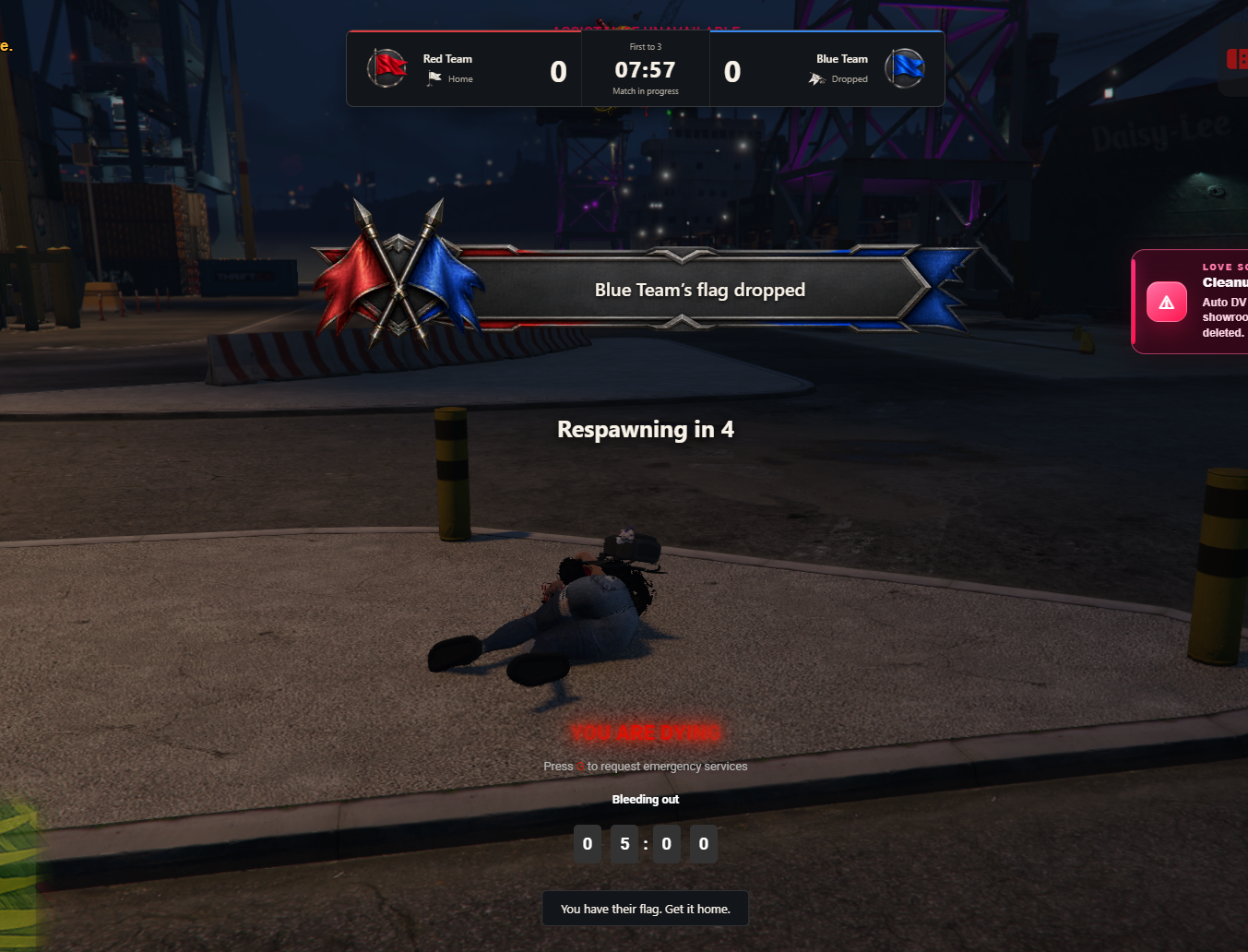
Players can automatically return to their team spawn after being eliminated.
- Configurable respawn delay
- Automatic team respawning
- Custom team spawn locations
- Health restoration
- Armor configuration
- Temporary spawn protection
- Death-state validation
- Duplicate death prevention
- Revive request verification
- Hospital integration support
- Optional native revival fallback
- Custom revival callbacks
- Automatic weapon re-equipment
- Respawn retry handling
- Failed revive notifications
Supported Medical Integrations
- Wasabi Ambulance
- Wasabi Ambulance V2
- QBOX Medical
- QBCore Ambulance Job
- ESX Ambulance Job
- ARS Ambulance
- Native GTA/FiveM Revival
- Custom Medical Integration
Medical integration can automatically select a supported running provider or use a manually configured provider.
Custom medical resources may require adjustments through the editable integration files.
🛡️ Spawn Protection
Protect players briefly after respawning.
- Configurable protection duration
- Temporary invincibility
- Automatic protection expiration
- Protection cancellation when interacting with a flag
- Configurable respawn health
- Configurable respawn armor
Default Settings
- 200 health
- 0 armor
- 3 seconds of spawn protection
🚧 Arena Boundary System
Keep players inside the configured Capture the Flag play area.
- Configurable arena center
- Adjustable arena radius
- Visible boundary indicator
- Configurable boundary color
- Adjustable visual boundary height
- Custom boundary inset
- Automatic player containment
- Server-side position validation
- Optional timed out-of-bounds handling
- Return-to-arena warnings
With boundary containment enabled, players who move outside the allowed play area are repositioned inside the arena.
The alternative timed out-of-bounds handling can be configured when the immediate boundary system is disabled.
🏟️ Multiple Arena Support
Create multiple Capture the Flag arenas using individual configuration entries.
- Multiple arena definitions
- Custom arena names
- Unique arena coordinates
- Individual team spawn locations
- Separate flag positions
- Custom capture zones
- Individual arena radius
- Separate routing buckets
- Independent arena rules
- Configurable player limits
- Arena selection menu
- Individual match sessions
Included Example Arena
The Docks configuration provides example coordinates. Server owners should adjust the locations, boundaries, and spawn heights for their own maps.
Each arena requires a unique routing bucket.
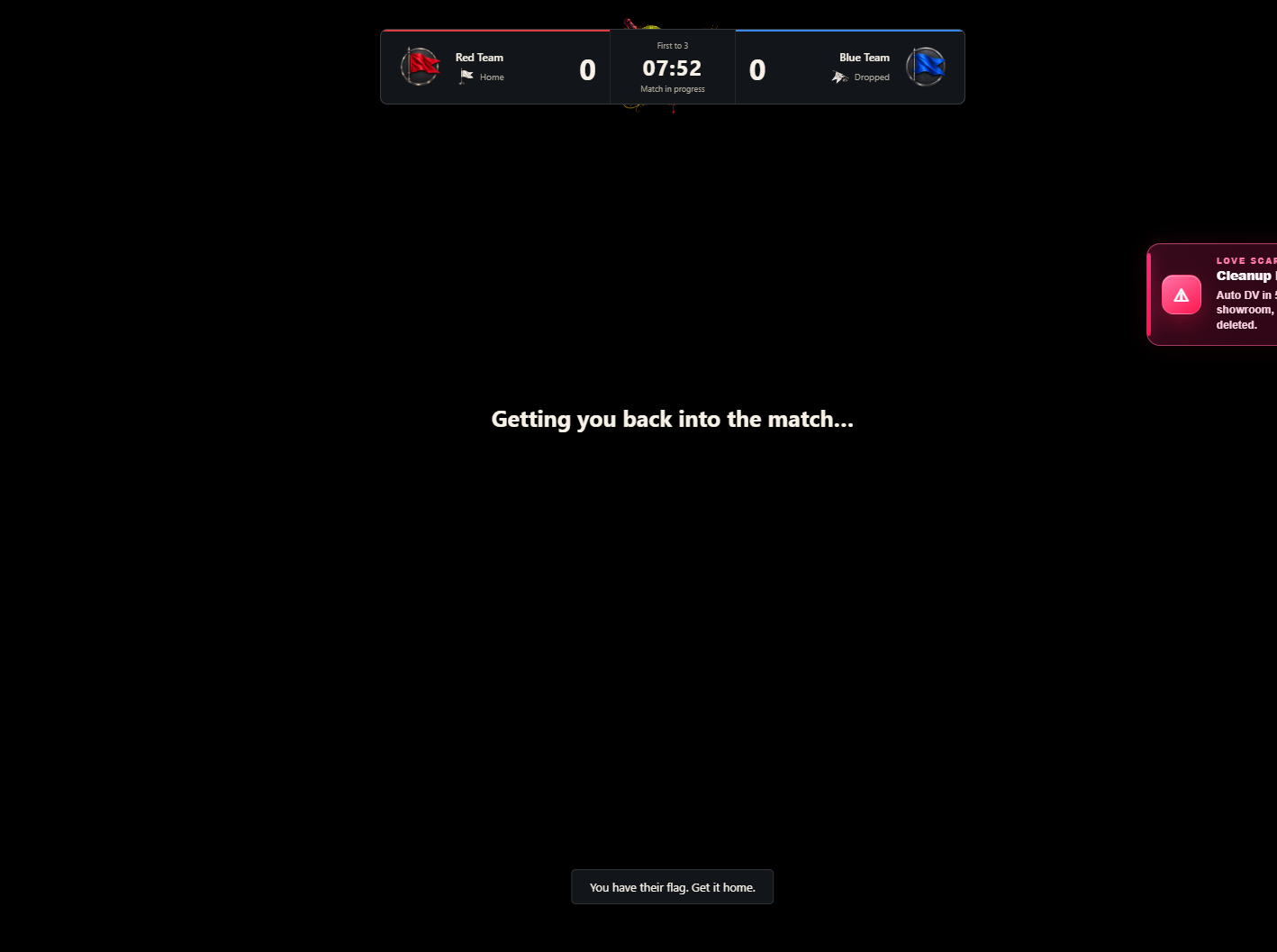
📊 Live Match Scoreboard
The system includes a custom scoreboard visible during matches.
- Red and Blue team scores
- Team names
- Team artwork
- Current match timer
- Capture target
- Match status
- Flag availability indicators
- Home flag status
- Carried flag status
- Dropped flag status
- Real-time score changes
- Configurable HUD positioning
- Adjustable scoreboard scale
The scoreboard updates throughout the match to reflect the latest server-authorized match state.
🏆 Match Results & Victory Screen
Display match results when a team wins or the timer expires.
- Custom victory announcement
- Winning team display
- Final match score
- Player result information
- Player rankings
- Custom victory artwork
- Victory sound effect
- Match cancellation notification
- Configurable results duration
- Automatic match cleanup
Player Statistics
- Flag captures
- Flag returns
- Deaths
- Team membership
- Player rankings
Rankings prioritize captures, followed by returns and fewer deaths.
🎁 Configurable Match Rewards
Reward players for successful participation in Capture the Flag matches.
- Optional reward system
- Cash rewards
- Inventory item rewards
- Winning team rewards
- Individual placement rewards
- Configurable reward amounts
- Configurable inventory items
- Minimum personal capture requirement
- Server-side reward validation
- Configurable reward distribution
- Reward delivery notifications
Reward Modes
Winning Team Rewards
Give eligible players on the winning team a configured reward package.
Leaderboard Rewards
Give rewards based on individual placement in the match rankings.
Default Example Rewards
- Winning Team: $1,000
- First Place: $2,000
- Second Place: $1,000
Rewards are disabled by default and must be enabled through config.lua.
Reward values are fictional in-game currency or inventory items. They are not real-money prizes.
🛠️ Administrator Match Controls
Authorized administrators can manage Capture the Flag arenas and match sessions.
- Enable Capture the Flag events
- Disable Capture the Flag events
- Start eligible matches
- Cancel active matches
- Manage arena availability
- Assign registered players to teams
- View match information
- Control match starting permissions
- Restrict access to administrative actions
- Configurable admin commands
- Server-side permission validation
Default Administrator Commands
-
/ctfadmin — Open administrator match controls
-
/ctfadmin on — Enable arenas
-
/ctfadmin off — Disable arenas
-
/ctfadmin start docks — Start an eligible Docks match
-
/ctfadmin cancel docks — Cancel the selected match
-
/ctfadmin assign docks 12 a — Assign player 12 to Team A in the lobby
Cancelled matches do not award winning-team rewards.
🔐 Administrator Permissions
- ACE permission support
- QBCore administrator groups
- QBOX permission compatibility
- ESX administrator groups
- Standalone ACE support
- Manual identifier allowlist
- Configurable framework groups
- Server-side permission validation
Default Administrator Groups
ACE Permission
sleezy.ctf.admin
🎮 Player Commands
-
/ctf — Open the arena and team menu
-
/ctfleave — Leave the event
-
/ctfdrop — Drop a carried enemy flag
Players can also use the configured E-key interactions for registration and flag actions.
All command names are configurable.
🎨 Custom UI & Branding
- Custom Capture the Flag interface
- Red and Blue team artwork
- Custom server branding
- Editable interface title
- Custom subtitle
- Custom logo support
- Local image support
- HTTPS logo support
- Adjustable interface colors
- Custom background colors
- Editable text colors
- Configurable accent colors
- Custom team images
- Custom victory artwork
- Editable event banner
- Custom flag status images
- Configurable scoreboard position
- Adjustable interface scaling
- Custom interaction labels
- Editable player-facing text
- Custom notification messages
- Configurable sound volume
- Editable audio file paths
- Configurable sound toggles
- Editable
config.lua
🔊 Custom Sound Effects
The resource includes local audio cues for gameplay events.
- Flag pickup sound
- Flag return sound
- Successful capture sound
- Match countdown sound
- Victory sound
Individual sounds can be customized or disabled.
🛡️ Server-Side Security & Validation
- Server-authorized team registration
- Match participation validation
- Player distance checks
- Arena routing bucket validation
- Flag pickup distance validation
- Capture zone verification
- Team membership checks
- Team capacity enforcement
- Duplicate action protection
- Configurable action cooldowns
- Request rate limiting
- Player state verification
- Death and respawn validation
- Duplicate score prevention
- Server-side reward processing
- Disconnect cleanup
- Interrupted match handling
- Temporary loadout cleanup
- Match cancellation handling
💾 Match Management & Cleanup
- Automatic cleanup after matches
- Restore original player positions
- Restore previous routing buckets
- Remove temporary match weapons
- Clear active flag carriers
- Restore flags after round completion
- Automatic match state reset
- Handle disconnected participants
- Cancel matches when a team becomes empty
- Configurable results display duration
- Resource shutdown cleanup
🧩 Framework Support
- ESX
- QBCore
- QBOX
- Standalone
- Automatic framework detection
Inventory Support
- ox_inventory
- qb-inventory
- Native ESX inventory
- Custom standalone reward integration
Inventory integration is used primarily for optional item rewards and supported weapon handling.
📦 What's Included
- Advanced Capture the Flag Resource
- Two-Team Match System
- Configurable Arena System
- Custom Registration NPC
- Interactive Registration UI
- Manual Match Starting
- Team Balancing
- Flag Capture & Return System
- Physical Flagpole Props
- E-Key Interaction System
- Optional Carrier Outlines
- Match Weapon Loadouts
- Respawn & Medical Integration
- Configurable Arena Boundaries
- Live Match Scoreboard
- Player Statistics
- Custom Victory Interface
- Optional Rewards System
- Administrator Match Controls
- Team Artwork
- Flag Status Images
- Event & Victory Banners
- Sound Effects
- Framework & Inventory Integrations
- Editable Configuration
- Installation Documentation
🏠 Perfect For
- FiveM Roleplay Communities
- Team-Based PvP Events
- Community Competitions
- Server Events
- Red vs. Blue Matches
- Competitive Minigames
- Organized Player Activities
- Community Tournaments
- Team Training Sessions
- Custom PvP Arenas
- Roleplay Event Organizers
- Server Administrators
⚙️ Requirements
- FiveM Server
- OneSync Enabled
- ESX, QBCore, QBOX, or Standalone
No SQL database, ox_lib, or target resource is required.
Supported inventory and medical integrations are optional, depending on the configured features.
⚙️ Installation
- Add
sleezy_capturetheflag to your resources folder.
- Configure your framework and inventory settings.
- Adjust arena coordinates and registration locations.
- Set up team spawn points and flag positions.
- Configure the match rules and team limits.
- Customize the team names, colors, and artwork.
- Configure administrator permissions.
- Review weapon and medical integration settings.
- Configure rewards if desired.
- Ensure the resource in your server configuration.
- Enable the arena using
/ctfadmin on.
- Test the match with at least two players.
⚙️ Important Information
The resource is disabled on server startup by default and must be enabled by an authorized administrator.
Matches require players on both teams before they can begin. Manual match starting is enabled by default.
Flagpole props appear at their home locations and when dropped. Attached player-carried flag props are disabled by default in v1.1.8.
Optional player outlines use experimental GTA/FiveM rendering functionality. Compatibility can vary, and server owners should test this feature before enabling it for their community.
Arena coordinates included in the configuration are examples and must be checked for suitable spawn points and boundaries.
Medical integration may require adjustments when using heavily modified ambulance or hospital systems.
Rewards are disabled by default. All optional rewards must comply with applicable platform rules and remain within the server's permitted in-game economy.
💎 Why Choose This System?
The Sleezy Development Advanced Capture the Flag System provides an organized team-based gameplay experience with customizable arenas, interactive flag mechanics, dedicated registration, and competitive match management.
Players can form opposing teams, compete for captures, defend their territory, track the match through a live scoreboard, and participate in controlled PvP events.
With manual match starting, configurable team loadouts, arena boundaries, optional carrier highlighting, respawn management, and administrator controls, server owners can host Capture the Flag events without relying on a separate event management resource.
Designed for FiveM communities looking for a configurable team competition system with custom visuals, synchronized gameplay, and flexible server settings.
Developer: Sleezy Development
Version: 1.1.8
Frameworks: ESX • QBCore • QBOX • Standalone
Resource: sleezy_capturetheflag
Database: Not Required
Dependencies: OneSync
Support: discord.gg/sleezydevelopment
Sleezy Development • Premium FiveM Systems
Script Preview: (1) Sleezy Development - YouTube
Discord Support: Discord