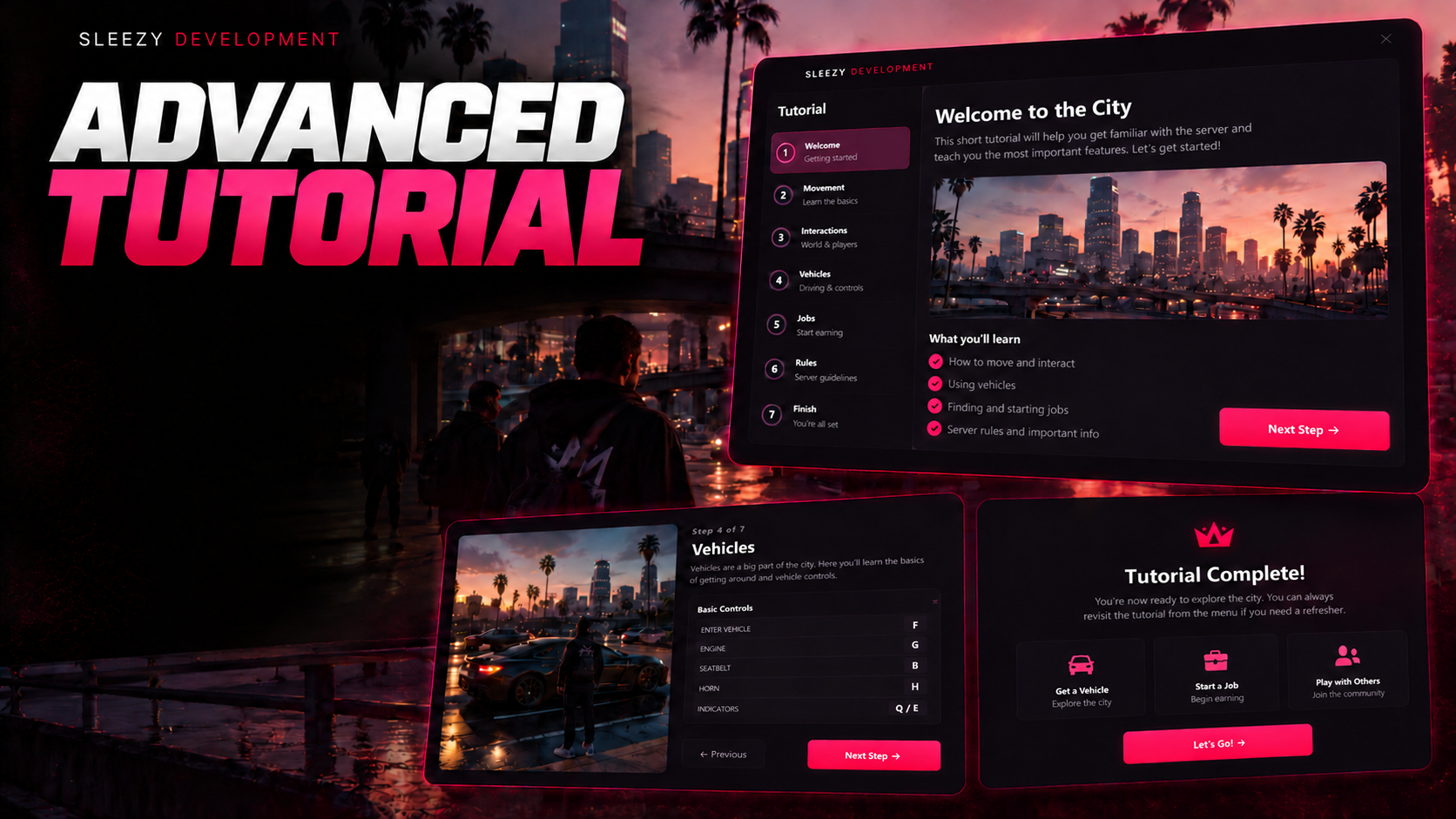
Sleezy Development • Advanced Tutorial & Onboarding System (ESX, QBCore, QBOX & Standalone)
Give new players a better introduction to your FiveM server with the Sleezy Development Advanced Tutorial & Onboarding System.
Designed for roleplay communities, this system guides players through their first steps in the city with interactive objectives, on-screen instructions, a customizable ground guidance arrow, GPS navigation, a built-in item shop, and a complete vehicle rental experience.
Instead of leaving new players to figure everything out themselves, server owners can create their own onboarding process that introduces important locations, teaches players how to make purchases, helps them obtain essential items, and gets them started with their first vehicle.
Players are guided from one objective to the next, with each completed task automatically progressing the tutorial. Once all required objectives are finished, players can receive a configurable in-game completion reward.
The system includes a fully customizable storefront, vehicle rental interface, animated 3D navigation arrow, persistent character progress, customizable tasks, framework integration, and administrator commands.
Built with configurable branding, colors, NPC locations, store items, vehicle catalogs, tutorial steps, and navigation settings.
⚙️ Features
- Advanced new-player onboarding system
- Automatic tutorial activation
- Character-specific tutorial progression
- Configurable tutorial objectives
- Unlimited configurable task entries
- Interactive task checklist
- Animated task completion indicators
- Custom 3D ground guidance arrow
- Live directional arrow rotation
- GPS route navigation
- Configurable destination markers
- Optional intermediate navigation waypoints
- Automatic navigation between tasks
- Interactive item shop
- Custom phone store configuration
- Built-in shopping cart
- Cash and bank payments
- Configurable item catalogs
- Searchable store inventory
- Product categories
- Configurable item prices
- Inventory item delivery
- Interactive vehicle rental system
- Configurable rental vehicle catalog
- Vehicle preview images
- Vehicle prices and information
- Automatic rental vehicle spawning
- Configurable rental parking spots
- Optional vehicle key integration
- Vehicle return system
- Optional rental refunds
- Configurable completion rewards
- Tutorial skip option
- Persistent tutorial saving
- Resume incomplete tutorials
- Administrator reset and start commands
- Custom shop and rental NPCs
- ox_target support
- qb-target support
- Built-in E-key interaction
- Customizable UI colors and branding
- Custom logo support
- Adjustable UI dimensions
- Framework and inventory auto-detection
- No SQL database required
🎓 Advanced Tutorial System
Introduce players to your city through a configurable sequence of objectives.
- Automatically begin tutorials for new character identities
- Display the active tutorial task
- Show objective descriptions
- Track completed objectives
- Update the current task automatically
- Display upcoming objectives
- Mark completed tasks
- Navigate players toward their next destination
- Save progress after each completed objective
- Resume unfinished tutorials after reconnecting
- Skip the tutorial with confirmation
- Complete the tutorial for a configurable reward
Default Tutorial Objectives
Step 1 — Purchase a Phone
Players are guided to the configured phone store, where they can interact with the shopkeeper and purchase their first phone.
Step 2 — Rent a Vehicle
After purchasing the phone, players are guided to the vehicle rental location, where they can choose and rent an available vehicle.
These are example objectives. Server owners can replace them, change their order, or add additional tasks.
📝 Custom Tutorial Objectives
Build your own onboarding process through config.lua.
Supported Task Types
Purchase Tasks
- Require players to purchase a configured item
- Set the required item name
- Set a custom shop destination
- Add custom task instructions
- Complete after a valid purchase through the included shop
Rental Tasks
- Require players to rent a supported vehicle
- Set a rental destination
- Customize the objective text
- Complete after the vehicle is successfully delivered
Visit Tasks
- Send players to a selected location
- Configure destination coordinates
- Set the required arrival radius
- Automatically complete when the player reaches the location
- Server-side location verification
Custom Task Settings
- Unique task identifier
- Custom title
- Custom description
- Objective type
- Destination coordinates
- Arrival radius
- Required purchase item
- Optional navigation path
- Configurable task order
Example Tutorial Activities
- Purchase your first phone
- Buy a radio
- Visit City Hall
- Travel to the hospital
- Visit a clothing store
- Visit a dealership
- Locate the police department
- Rent your first vehicle
- Explore an important city location
Purchase and rental objectives use the resource's own shop and rental workflows. Other locations can be introduced through visit objectives.
➡️ Advanced Ground Guidance Arrow
One of the system's main features is a customizable 3D directional arrow displayed on the ground in front of the player.
The arrow follows the character and continuously adjusts its direction toward the current objective.
Arrow Features
- Custom 3D arrow rendering
- Ground-positioned guidance
- Live directional rotation
- Smooth turning animation
- Configurable arrow colors
- Adjustable transparency
- Custom arrow dimensions
- Adjustable arrow thickness
- Configurable arrow width
- Configurable arrowhead size
- Rounded arrow geometry
- Adjustable corner radius
- Configurable beveled edges
- Optional glow effect
- Smooth fade transitions
- Adjustable turning speed
- Configurable height positioning
- Animated floating effect
- Directional slope adjustment
- Automatically updates for each objective
- Disappears when close to the destination
- Hidden while inside vehicles
Default Arrow Appearance
- Pink directional arrow
- Soft pink glow
- Smooth rotation
- Low-profile ground positioning
- Configurable side colors
Server owners can change the arrow's appearance through the configuration.
🗺️ GPS & Navigation System
Help players locate important destinations without manually searching the map.
- Automatic GPS routing
- Map waypoint support
- Custom destination markers
- Configurable route colors
- Adjustable arrival distance
- Optional destination ring
- Automatic route updates
- Remove routes when tasks complete
- Manual navigation toggle
- Optional automatic guidance
- Configurable indoor waypoints
Intermediate Waypoints
Server owners can configure additional navigation points for locations that require a specific walking route.
Useful for:
- Stairs and escalators
- Building entrances
- Multi-level interiors
- Tunnels and pathways
- Custom MLO locations
The guidance arrow follows the configured waypoint sequence before directing the player to the final objective.
📋 Interactive Tutorial Checklist
Players receive an on-screen task widget displaying their tutorial progress.
- Custom task heading
- Current objective title
- Objective description
- Completed task indicators
- Upcoming objective list
- Active navigation status
- Task completion animations
- Tutorial completion presentation
- Configurable widget positioning
- Adjustable widget width
- Custom colors and typography
- Show and hide behavior
The task widget can be positioned through config.lua to better match existing HUD layouts.
🛍️ Built-In Item Shop
The resource includes a configurable shop system for introducing players to purchasing items.
- Custom shop interface
- Configurable store name
- Custom shop subtitle
- Store NPC
- Custom NPC model
- Configurable NPC animation
- Adjustable shop coordinates
- Optional shop map blip
- Custom product categories
- Product descriptions
- Custom item images
- Adjustable item prices
- Shopping cart
- Increase and decrease item quantities
- Configurable cart limits
- Cash and bank payment options
- Current account balances
- Purchase total calculation
- Server-side checkout validation
- Inventory space validation where supported
- Automatic inventory item delivery
- Purchase confirmation
- Payment refund handling for failed delivery
Default Shop
Heartline Wireless
The included example store offers:
- Phone — $200
- Radio — $100
Both products, their labels, prices, images, and item names can be customized.
🛒 Shopping Cart & Checkout
Players can purchase multiple configured items through the included shopping cart.
- Add products to the cart
- Remove products
- Adjust item quantities
- Review the current cart
- View individual product prices
- Display the total purchase amount
- Choose cash or bank
- Confirm checkout
- Receive purchased items
- View payment confirmation
- Display purchase errors
Default Shopping Limits
- Up to 5 units per product
- Up to 12 total cart units
The server validates prices, item quantities, payment accounts, and inventory delivery rather than relying on client-submitted totals.
📱 Phone System Integration
Introduce players to your existing phone system through the tutorial shop.
- Configurable phone item
- Custom phone product image
- Adjustable phone price
- Purchase-based tutorial objective
- Inventory-based item delivery
- Custom purchase callback support
- Configurable phone item name
The phone item can be matched to the item used by the server's existing phone resource.
Important: This resource does not include a standalone mobile phone application. It delivers the configured inventory item, while the server's existing phone script handles phone functionality.
Phone systems requiring custom activation, metadata, or license unlocking can be integrated through the editable purchase hook.
🚗 Advanced Vehicle Rental System
Give new players a convenient way to obtain temporary transportation as part of the onboarding experience.
- Interactive rental shop
- Custom rental NPC
- Configurable rental locations
- Multiple rental vehicles
- Individual vehicle images
- Vehicle names and classes
- Seat count information
- Configurable rental prices
- Cash and bank payments
- Automatic rental vehicle creation
- Networked vehicle spawning
- Adjustable rental spawn locations
- Parking space availability checks
- Vehicle plate generation
- Configurable plate prefix
- Automatic fuel initialization
- Clean vehicle delivery
- Optional automatic engine start
- Optional automatic player seating
- Vehicle rental ownership tracking
- Optional vehicle key integration
- One active rental per player
- Return rental interaction
- Optional partial refunds
- Automatic rental vehicle cleanup
- Vehicle delivery timeout handling
🚘 Default Rental Vehicles
Panto
- Compact vehicle
- 2 seats
- Rental Price: $100
Blista
- Compact vehicle
- 4 seats
- Rental Price: $150
Asea
- Sedan
- 4 seats
- Rental Price: $200
Faggio
- Scooter
- 2 seats
- Rental Price: $75
All vehicle models, names, classes, prices, images, and seating information can be customized.
📍 Rental Spawn Management
The resource includes configurable rental parking locations.
- Multiple vehicle spawn positions
- Configurable spawn coordinates
- Adjustable vehicle heading
- Spawn clearance checks
- Occupied parking space detection
- Server-side vehicle creation
- Vehicle network ID validation
- Routing bucket assignment
- Configurable spawn timeout
- Automatic failure handling
- Refund attempts when vehicle delivery fails
- Rental cleanup after disconnect
The system checks available spawn slots before attempting to deliver a rental vehicle.
🔑 Vehicle Keys Integration
Optional vehicle key integration is supported through editable configuration functions.
- Configurable vehicle key assignment
- Optional key removal on return
- Included mk_vehiclekeys adapter
- Editable key integration functions
- Custom key resource support
Other vehicle key systems can be connected using their documented APIs.
The rental system does not require a vehicle key resource to create vehicles, but custom locking and ownership behavior may require additional integration.
↩️ Vehicle Returns
Players can return an active rental to the configured rental counter.
- Return interaction
- Configurable return distance
- Active rental validation
- Automatic rental vehicle deletion
- Optional refund percentage
- Configurable refund amount
- Vehicle key removal hook
- Server-side return handling
The default refund percentage is 0%, and server owners can configure an optional partial or full refund.
👤 Custom NPC Interactions
The system includes separate configurable NPCs for shopping and rentals.
- Custom shop NPC
- Custom rental NPC
- Adjustable NPC coordinates
- Configurable NPC heading
- Custom NPC models
- Editable NPC scenarios
- NPC invincibility
- Configurable interaction range
- Adjustable NPC streaming distance
- Automatic nearby NPC spawning
- NPC cleanup when leaving the area
- Optional map blips
Interaction Methods
- ox_target
- qb-target
- Built-in E-key interaction
Target resources are optional. Players can use the built-in proximity interaction when no supported target system is active.
💰 Tutorial Completion Rewards
Reward players when they finish the configured onboarding objectives.
- Optional completion reward
- Configurable cash amount
- Configurable reward account
- Character-specific completion tracking
- One-time reward protection
- Reward delivered after completing all tasks
- No completion reward for skipped tutorials
- Configurable reward enable and disable setting
Default Reward
The amount can be changed or disabled through config.lua.
When one-time rewards are enabled, resetting the tutorial does not automatically grant an additional reward.
💾 Persistent Tutorial Progress
The system saves onboarding progress using FiveM's built-in resource KVP storage.
- Character-specific progress on ESX, QBCore, and QBOX
- Saved current task
- Saved tutorial status
- Persistent completion records
- Saved reward eligibility
- Resume incomplete tutorials
- Progress retained through resource restarts
- No SQL database required
Supported Tutorial States
- Active
- Completed
- Skipped
- Inactive
Standalone identity tracking uses the player's license identifier by default.
🔄 Automatic Onboarding
The tutorial can automatically begin when an eligible character enters the server.
- Automatic onboarding for new identities
- Character load detection
- Configurable startup delay
- Incomplete tutorial restoration
- Periodic identity refresh
- Optional external character-creation event
- Avoid opening the task display during character selection
- Configurable activation settings
- Administrator-controlled activation
Default Onboarding Settings
- Automatic onboarding enabled
- 3-second initial display delay
- 30-second state check interval
- Resume incomplete tutorials enabled
Important: On established servers, automatically starting tutorials for identities with no existing record may affect returning players. Server owners can disable automatic onboarding and activate tutorials selectively.
⏭️ Tutorial Skip System
Allow players to leave the tutorial when appropriate.
- Configurable skip command
- Configurable skip key
- Confirmation requirement
- Prevent accidental skipping
- Persistent skipped status
- No completion reward for skipped tutorials
Default Skip Control
G — Press twice within the configured confirmation window to skip.
Default Confirmation Window
🔐 Administrator Commands
Authorized staff can start or reset the onboarding process for selected players.
Available Commands
/tutorialstart [id] — Start the tutorial for a selected player.
/tutorialreset [id] — Reset the tutorial objectives for a selected player.
Administrator Permission
sleezy.tutorial.admin
ACE permissions are used for the included administrator commands.
Default ACE Configuration
add_ace group.admin sleezy.tutorial.admin allow
Commands can be customized in config.lua.
🎮 Player Commands
/tutorialguide — Toggle the guidance arrow and GPS route.
/tutorialskip — Skip the tutorial after confirmation.
Default Keybinds
-
J — Toggle tutorial guidance
-
G — Skip tutorial with confirmation
-
E — Interact with nearby shop and rental NPCs
Keybinds and commands are configurable.
🎨 Custom UI & Branding
The resource includes a customizable HTML interface for its task display, shop, and rental systems.
- Custom Sleezy Development branding
- Editable interface title
- Configurable server name
- Custom logo support
- Local logo images
- HTTPS logo support
- Editable accent colors
- Custom background colors
- Side panel background settings
- Custom text colors
- Editable muted text color
- Custom border colors
- Success and error colors
- Adjustable menu width
- Adjustable menu height
- Configurable UI scale
- Task widget positioning
- Adjustable task widget width
- Configurable product image scale
- Configurable vehicle image scale
- Optional price visibility
- Currency symbol customization
- Number formatting locale
- Editable player-facing messages
Default UI Theme
- Pink accent color
- Dark plum background
- Soft pink highlights
- Light text
- Customizable panels
🖼️ Product & Vehicle Images
The system includes local SVG artwork for the example shop and vehicle catalog.
Included Product Artwork
Included Vehicle Artwork
Owners can replace the example artwork with their own supported images.
⚙️ Configuration Options
Server owners can customize the system through config.lua.
- Framework selection
- Inventory selection
- Target selection
- Custom commands
- Custom keybinds
- Onboarding activation
- Tutorial delay
- Task order
- Task descriptions
- Task coordinates
- Task completion requirements
- Navigation waypoints
- Guidance arrow appearance
- GPS route color
- Destination marker appearance
- Store name and branding
- Store item catalog
- Store item prices
- Shopping cart limits
- Shop NPC location
- Shop NPC model
- Rental NPC location
- Rental vehicle catalog
- Rental vehicle prices
- Rental spawn positions
- Vehicle keys integration
- Return and refund settings
- Completion reward amount
- Completion reward account
- Economy account selection
- Interface colors
- Interface positioning
- Image dimensions
- Logo and branding
- Notifications
- Administrative permissions
🔌 Custom Integration Hooks
The resource provides editable functions for connecting other supported systems.
Available Hooks
-
onItemPurchased
-
onTutorialCompleted
-
onRentalCreated
-
onRentalReturned
-
GiveKeys
-
RemoveKeys
These hooks allow server owners or developers to connect documented exports and functionality from their own resources.
🛡️ Server-Side Validation
The resource includes checks for important gameplay transactions.
- Server-authoritative task progression
- Item purchase verification
- Server-side item prices
- Payment account validation
- Purchase quantity limits
- Shopping cart size limits
- Available balance validation
- Inventory capacity checks where supported
- Purchase rollback attempts
- Rental availability validation
- Vehicle spawn clearance checks
- Player distance verification
- Rental session tracking
- Vehicle delivery confirmation
- Duplicate rental prevention
- Action request limits
- Per-player request locking
- Character identity validation
- Visit objective distance verification
- Administrator ACE permission checks
- Completion reward tracking
🧩 Framework Support
- ESX
- QBCore
- QBOX
- Standalone
- Automatic framework detection
Framework Detection Order
QBOX → QBCore → ESX → Standalone
Inventory Support
- ox_inventory
- qb-inventory
- ESX inventory
- Tutorial-only standalone inventory ledger
Standalone mode includes a basic tutorial wallet and item ledger for framework-free use and testing. It does not replace a production inventory or usable-phone system.
📦 What's Included
- Sleezy Tutorial Resource
- Step-by-Step Onboarding System
- Interactive Task Checklist
- Custom Ground Guidance Arrow
- GPS Navigation
- Configurable Waypoints
- Purchase Objectives
- Rental Objectives
- Visit Objectives
- Item Shop Interface
- Shopping Cart System
- Cash & Bank Checkout
- Vehicle Rental Interface
- Four Example Rental Vehicles
- Shop & Rental NPCs
- Vehicle Spawn Management
- Rental Return System
- Completion Reward System
- Persistent Tutorial Progress
- Administrator Commands
- Framework & Inventory Bridges
- Custom Integration Hooks
- Configurable UI Theme
- Example Product & Vehicle Artwork
- Editable Configuration
- README Installation Guidance
- Asset Escrow Configuration
🏠 Perfect For
- FiveM Roleplay Communities
- New Player Onboarding
- Beginner-Friendly Servers
- Whitelisted Roleplay Servers
- Public Roleplay Communities
- Custom City Introductions
- Server Welcome Experiences
- Character Progression
- City Exploration
- Player Assistance
- Community Onboarding
- Server Owners
⚙️ Installation & Requirements
- FiveM Server
- OneSync for networked rental vehicles
- ESX, QBCore, QBOX, or Standalone Configuration
- Compatible inventory integration for usable purchased items
Optional Integrations
- ox_inventory
- qb-inventory
- ox_target
- qb-target
- mk_vehiclekeys
- Custom vehicle key systems
- Existing phone resources
Quick Installation
- Add
sleezy_tutorial to your resources folder.
- Configure the selected framework and inventory.
- Set up the phone store and rental locations.
- Configure your tutorial objectives.
- Match the example phone item to your installed phone resource.
- Customize the rental vehicle catalog and spawn positions.
- Adjust the guidance arrow and UI theme.
- Configure completion rewards and permissions.
- Ensure the resource after the relevant framework and inventory.
- Join with a test character and complete each tutorial objective.
⚙️ Important Information
This resource provides a configurable tutorial and onboarding experience exclusively within FiveM.
It includes its own item storefront and vehicle rental system but does not include a third-party phone application, garage system, or custom map interior.
Purchase objectives are completed using the included shop. Purchases made through an unrelated shop will not automatically advance the tutorial without additional integration.
Vehicle rentals are temporary and managed by the tutorial system. Rental vehicle entities are cleaned up on return, player disconnect, or resource shutdown.
Standalone mode includes a tutorial-specific economy and item ledger rather than a replacement for a production framework.
Automatic onboarding should be configured carefully on established servers to avoid introducing the tutorial to existing characters unintentionally.
Server owners should review objective coordinates, product item names, inventory compatibility, vehicle models, and spawn locations before public deployment.
💎 Why Choose This System?
The Sleezy Development Advanced Tutorial & Onboarding System gives server owners a configurable way to welcome new players and introduce important city features.
Instead of relying entirely on written rules or staff members explaining every first-time activity, players can follow interactive objectives, navigate using a directional arrow, purchase their first items, and obtain temporary transportation.
With built-in shopping, vehicle rentals, persistent progression, configurable rewards, framework compatibility, and extensive customization, the system provides a practical introduction to your server.
Designed for FiveM communities looking to make the first-time player experience easier, more organized, and more interactive.
Developer: Sleezy Development
Version: 1.0.0
Frameworks: ESX • QBCore • QBOX • Standalone
Resource: sleezy_tutorial
Database: Not Required
Vehicle Networking: OneSync
Support: discord.gg/sleezydevelopment
Sleezy Development • Premium FiveM Systems
Script Preview: (1) Sleezy Development - YouTube
Discord Support: Discord